
Table of Contents
50 Essential Web Development Terms Every Beginner Must Know
Web development can seem like a foreign language to beginners, filled with acronyms, technical jargon, and complex systems. But understanding key terms is essential whether you’re learning to build websites, collaborating with developers, or managing digital projects.
In this article, we’ve compiled 50 essential web development terms, broken down with clear explanations and real-world relevance. Mastering these will help you communicate better, make smarter decisions, and build more effectively.
Frontend vs Backend: Understanding the Core
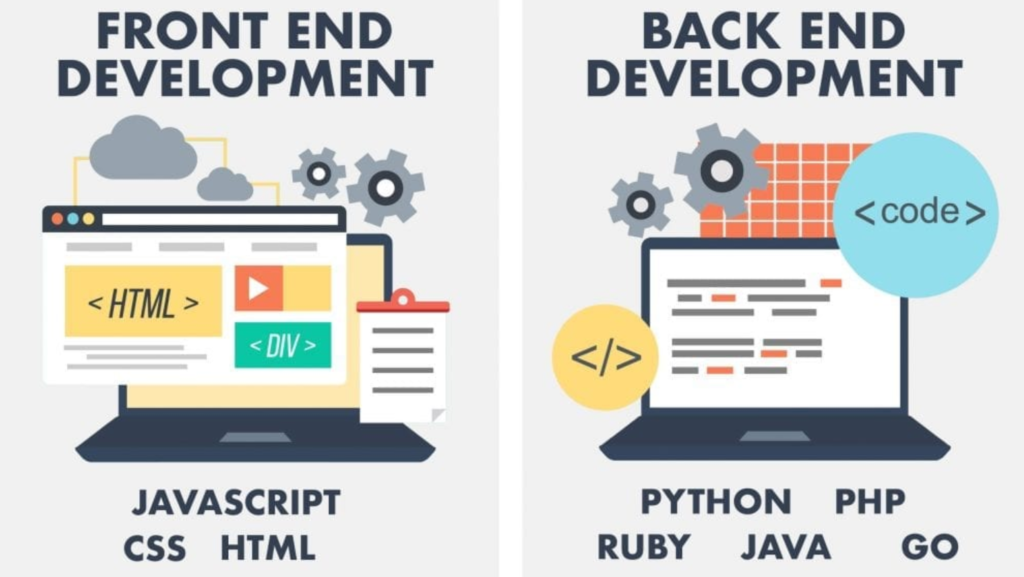
1. Frontend
Everything users visually encounter and interact with in the browser, including buttons, text, forms, and the site’s layout, constitutes the frontend. It’s built using HTML, CSS, and JavaScript to ensure smooth, engaging experiences.
2. Backend
Databases, server logic, and security are all managed by the backend, which operates behind the scenes. It handles storing data, processing input, and serving up content to the frontend.
Frontend Development Essentials
3. HTML (HyperText Markup Language)
HTML forms the structure of all websites—it’s like the skeleton. Tags like <h1>, <img>, and <div> define elements such as headings, images, and containers.
4. CSS (Cascading Style Sheets)
CSS styles the HTML, controlling colors, fonts, layout, and animations. It allows a single structure (HTML) to have multiple designs across devices and screens.
5. JavaScript
JavaScript brings interactivity to web pages, from sliders and forms to dynamic content. It’s the language that powers animations, dropdowns, and real-time updates.
6. Responsive Design
Responsive design ensures websites work seamlessly on desktops, tablets, and phones. It adapts layouts, font sizes, and images based on the screen size.
7. Media Queries
Media queries are CSS rules triggered by screen characteristics like width or resolution. They help apply custom styling for specific devices or orientations.
8. Frameworks
Frameworks like Bootstrap (CSS) and React (JavaScript) offer reusable code libraries. They simplify and speed up development by solving common challenges.
9. DOM (Document Object Model)
The DOM provides a tree-like representation of HTML elements. JavaScript can access and manipulate the DOM to change content, structure, or styling dynamically.
10. Viewport
The viewport is the user’s visible browser window. Proper configuration (via <meta> tags) ensures your layout renders correctly on various devices.
Backend Development Terms
11. Server
A server is a computer that stores website files and responds to requests from users’ browsers. It delivers content, handles form submissions, and executes backend code.
12. Database
A database stores structured data like user profiles, product info, or blog posts. Popular options include MySQL, PostgreSQL, and MongoDB.
13. API (Application Programming Interface)
APIs let different software systems communicate. They connect frontends with backends or integrate third-party services like Google Maps or payment gateways.
14. CRUD (Create, Read, Update, Delete)
CRUD refers to the four fundamental operations performed on data. Whether it’s adding a post or editing a user profile, these are the foundation of dynamic web apps.
15. Authentication
Authentication validates a user’s identity with credentials such as usernames and passwords. It’s the first step in granting access to protected areas of a site.
16. Authorization
Authorization determines what actions a user can take once authenticated. For example, admins may see settings that regular users cannot.
17. MVC (Model-View-Controller)
MVC separates web applications into three components: Model (data), View (UI), and Controller (logic). It improves code organization and scalability.
Programming Languages & Frameworks
18. PHP
A prominent server-side scripting language, PHP is extensively employed in the creation of dynamic websites. It powers major platforms like WordPress.
19. Python
Python is known for clean syntax and versatility. In web development, it’s used with frameworks like Django and Flask.
20. Ruby on Rails
Rails, a robust web framework, prioritizes convention over configuration. It allows for rapid development and clean code.
21. Node.js
Node.js lets you run JavaScript on the server side. It’s ideal for building scalable and real-time applications.
22. Express.js
Express is a minimalist web framework for Node.js. The statement simplifies the management of routes and the application of middleware in server-side development.
Tools & Workflow Essentials
23. Git
Git is a version control system that tracks and maintains a complete history of every change made to your code.
24. GitHub
GitHub is a cloud-based service that facilitates the sharing and collaborative development of Git repositories. It supports pull requests, issue tracking, and version history.
25. Terminal / Command Line
The terminal is a text interface for running scripts, navigating directories, and managing files. Developers use it daily for fast control over projects.
26. Package Manager
Package managers like npm or pip automate installing, updating, and managing libraries. They simplify dependencies and version control.
27. IDE (Integrated Development Environment)
More than just a code editor, an IDE provides built-in debugging capabilities, intelligent syntax highlighting, and support for extensions. VS Code is one of the most popular choices for web development.

Web Hosting & Deployment
28. Domain Name
A domain is your website’s address (like ravensdigital.com). It’s what users type to visit your site and should reflect your brand.
29. Hosting
Hosting services store your website on servers and make it accessible online. Choices span shared hosting to cloud platforms..
30. SSL Certificate
SSL certificates encrypt data for secure (HTTPS) connections, crucial for protecting user data and boosting SEO.
31. URL (Uniform Resource Locator)
A URL is the full address of a web resource. It includes the protocol (https), domain, path, and optional parameters.
32. DNS (Domain Name System)
DNS translates human-readable domains into IP addresses. It’s how browsers know where to find your website.
Performance & Optimization
33. Caching
Caching stores data temporarily to speed up repeat access. The server load is minimized, and page loading speeds are enhanced as a result.
34. CDN (Content Delivery Network)
A CDN distributes content across multiple global servers. It provides assets (such as images or scripts) from the closest server to the user, ensuring faster delivery.
35. Lazy Loading
Lazy loading delays loading images or other media until they’re needed. This speeds up initial loading and reduces data usage.
36. Minification
Minification strips out unnecessary characters (spaces, comments) from code to reduce file size. It improves site performance by loading faster.
37. SEO (Search Engine Optimization)
SEO is crucial for boosting your website’s position in search engine results. It includes technical improvements, keyword usage, and quality content.

Security in Web Development
38. HTTPS
HTTPS ensures secure communication between a browser and server using SSL/TLS encryption. It is paramount for fostering user trust and safeguarding data.
39. XSS (Cross-Site Scripting)
XSS is a web security vulnerability that allows attackers to inject malicious scripts into websites. Proper input sanitization can prevent it.
40. CSRF (Cross-Site Request Forgery)
Users are manipulated by CSRF into unknowingly taking actions they never intended. It’s blocked by using secure tokens and SameSite cookies.
41. Firewall
A firewall monitors and controls incoming/outgoing traffic. Web application firewalls (WAF) add another layer of protection for websites.
Development Process & Prototyping
42. Wireframe
Wireframes are simple, black-and-white layouts showing page structure without design elements. They’re used early in the design process to plan layout and functionality.
43. Mockup
Mockups are static designs that add color, branding, and imagery to a wireframe. They provide a realistic preview of the final UI.
44. Prototype
Prototypes are interactive models that simulate how a website will work. Their role is to assess user experience and system features prior to the start of development.
45. Staging Environment
Staging environments are test versions of websites where developers can preview changes before going live. They mimic the live site but aren’t visible to users.
46. Production Environment
The production environment is the live version of a site. It’s what end users interact with, so it must be stable and secure.
CMS & Platforms
47. CMS (Content Management System)
A CMS allows non-developers to manage website content easily. It provides an admin dashboard to add, edit, and publish content without coding.
48. WordPress
WordPress is the most popular CMS globally. It’s flexible, extensible, and ideal for everything from blogs to eCommerce.
49. Shopify
Shopify is a hosted platform for building online stores. It’s beginner-friendly and includes everything needed to manage products, inventory, and payments.
50. Webflow
Webflow is a no-code visual development platform that generates clean HTML, CSS, and JS. It’s great for designers who want full control without touching code.
Bonus Web Terms (Optional but Useful)
51. Sitemap
A sitemap lists all pages on your website. It helps search engines understand your site’s structure and improves SEO.
52. Robots.txt
This file tells search engine bots which pages to crawl or ignore. It helps control what gets indexed in search engines.
53. Accessibility (a11y)
Web accessibility ensures your site is usable by everyone, including people with disabilities. Following accessibility standards improves usability and compliance.
54. Web Standards
Web standards are guidelines set by the W3C to ensure websites are consistent, accessible, and compatible across all devices and browsers.
55. Open Source
Open source software is free to use and modify. It fosters collaboration and innovation through transparent codebases and community development.
✅ Final Thoughts
Understanding these 50+ web development terms gives you a foundational language to build, manage, or collaborate on digital projects. Whether you’re diving into code or working alongside a development team, this glossary will help demystify the process.
Ready to build your website with confidence?
Ravens Digital is here to help you design, develop, and launch high-performing websites that convert and scale. Reach out today and let’s bring your digital vision to life.