Blog

  • Choosing the Best Website Style for Your Needs

    Choosing the Best Website Style for Your Needs

    Table of Contents

    In today’s digital-first world, having a website isn’t optional—it’s essential. But simply having a site isn’t enough. The type of website you create can determine whether you generate steady growth or struggle to gain traction. The right choice can drive conversions and build brand trust, while the wrong one can leave visitors confused and disengaged.

    Whether you’re introducing a new brand, redefining your online strategy, or expanding your digital footprint, your website should align with your objectives, target audience, and long-term vision.

    In this guide, we’ll explore:

    • Why your website’s format is a critical decision
    • The most common website categories and how they differ
    • How to decide which format best supports your business goals
    • How Ravens Digital can guide you from concept to launch

    Why the Website Style You Choose Matters

    Your website isn’t just a homepage—it’s the central hub of your online identity. The format you select influences:

    • Visitor engagement with your brand
    • How quickly people can find the information they need
    • Your ability to turn site traffic into leads or sales
    • Overall alignment with your marketing and growth strategies

    Selecting the wrong type of site can result in:

    • Frustrating user experiences
    • Poor visibility in search engines
    • Visitor confusion and disengagement
    • Reduced conversion rates
    • Increased costs for upkeep and redevelopment

    When built on the right foundation, your site becomes a powerful growth tool that supports your business at every stage.

    Clarifying Your Goals Before You Decide

    Before committing to a specific website type, consider the following:

    Immediate Objectives

    • Do you need to start generating leads right away?
    • Are you preparing to launch a new product?
    • Is brand recognition your top priority at the moment?

    Long-Term Plans

    • Will you eventually sell products online through ecommerce?
    • Are you building a membership community or subscription model?
    • Should your site be capable of supporting marketing automation or advanced integrations in the future?

    Audience Expectations

    Different audiences expect different experiences:

    • Younger demographics often prefer mobile-first, interactive designs
    • Professional audiences value direct, streamlined navigation
    • Buyers want trust signals such as reviews, FAQs, and secure checkout options

    By understanding what your audience values most, you can select a format that meets—and exceeds—their expectations.

    Popular Website Types and When They Work Best

    Below are the most common website formats, along with their ideal use cases.

    1. Brochure / Informational Website

    A straightforward website designed to present your business information clearly.

    Ideal for:

    • Small businesses
    • Freelancers
    • Service providers
    • Creative portfolios

    Defining traits:

    • Static pages such as About, Services, and Contact
    • Simple navigation
    • Low maintenance requirements
    • Clear brand storytelling

    Best use case:
    Perfect if you want a professional online presence where visitors can quickly learn about you and get in touch.

    How Ravens Digital assists:
    We create mobile-friendly, brand-consistent brochure sites focused on turning casual visitors into real inquiries.

    2. Business Website

    A more robust site with features designed to support marketing, lead generation, and customer engagement.

    Ideal for:

    • Businesses of all sizes
    • B2B and B2C service providers
    • Organizations seeking credibility online
    • Lead capture forms
    • Demonstrating expertise, building trust, and capturing leads systematically.

    How Ravens Digital assists:
    We tailor every element—design, content, and structure—to your audience, ensuring your business site is both scalable and performance-driven.

    Selecting the most suitable website style based on brand goals and user needs

    3. Ecommerce Website

    A platform for selling products, services, or digital offerings directly online.

    Ideal for:

    • Retail brands
    • Product-based businesses
    • Subscription services
    • Sellers of digital goods

    Core features:

    • Rich product listings
    • Shopping cart functionality
    • Secure payment processing
    • Integrated inventory management
    • Optional customer accounts

    Best use case:
    If your main objective is online sales, this is the format for you.

    How Ravens Digital assists:
    We build secure, conversion-focused stores—from small product ranges to extensive catalogs—and optimize checkout flows to reduce cart abandonment.

    4. Blog / Content-Focused Website

    A site dedicated to publishing regular articles, guides, and updates.

    Ideal for:

    • Content marketers
    • Industry experts
    • Businesses relying on organic traffic
    • Educational platforms

    Core features:

    • Organized categories and tags
    • Commenting capabilities
    • Search functionality
    • Easy content publishing tools

    Best use case:
    Excellent for growing organic reach, establishing authority, and nurturing leads over time.

    How Ravens Digital assists:
    We create SEO-friendly blog sites with intuitive content management systems and optimize your content for better search rankings.

    5. Portfolio Website

    A visual showcase of your work, skills, and achievements.

    Ideal for:

    • Designers and creatives
    • Consultants
    • Artists and photographers

    Core features:

    • High-resolution visuals
    • Detailed project descriptions
    • Work categorization or filters
    • Client testimonials

    Best use case:
    Ideal if your work speaks for itself and you need a platform to display it professionally.

    How Ravens Digital assists:
    We design visually captivating portfolio sites that highlight your strengths and move viewers toward becoming clients.

    6. Landing Page / Single-Purpose Site

    A focused page built to drive a single action from visitors.

    Common uses:

    • Event registrations
    • Product announcements
    • Lead magnet downloads
    • Webinar sign-ups

    Core features:

    • One highly visible call to action
    • Minimal navigation distractions
    • Persuasive, benefits-driven copy
    • Layout optimized for conversions

    How Ravens Digital assists:
    We craft landing pages with tested messaging and design principles to maximize results from your campaigns.

    How to Choose the Best Website Type for Your Needs

    You now have a clear picture of the different categories of websites. Let’s break down how to select the one that will deliver the greatest results for your business or project.

    Step 1 – Define Your Core Goals

    Start with clarity about why your site exists. Ask yourself:

    • Is my main aim to sell products, capture leads, or establish credibility?
    • Will I need a blog or other content marketing tools?
    • Do I require ecommerce capabilities?

    Your answers will quickly narrow down the most suitable website category.

    Step 2 – Understand Your Audience

    The people you want to reach will shape both your site’s design and functionality.

    • Do they prefer reading informative content before engaging?
    • Are they ready to purchase on the spot?
    • Do they need to see visual proof of your work?

    Map out their journey from first contact to final conversion, and choose a website format that supports that pathway.

    Step 3 – Research Competitors

    Look closely at others in your industry:

    • What type of website are they using?
    • How do they present and organize content?
    • What features enhance their customer experience?

    This gives you a benchmark and helps identify gaps you can fill.

    Step 4 – Align Content With Features

    Content isn’t just text—it includes photos, videos, navigation menus, calls-to-action, forms, and analytics tools. Determine:

    • The types of content you’ll publish
    • How it should be arranged for ease of use
    • The actions you want visitors to take

    Your chosen website type should fully support your content strategy.

    Step 5 – Consider Technical Requirements

    Ask:

    • Do I need a simple content management system (CMS)?
    • Will I connect to other business tools or apps?
    • Is scalability important?
    • Should the site handle high volumes of traffic?

    These considerations will influence your platform, hosting, and site architecture.

    Templates vs. Custom Builds

    When planning a site, you’ll typically choose between:

    Pre-Made Templates

    Ready-made designs that you adapt with your own content.
    Advantages:

    • Lower upfront cost
    • Faster launch
    • Easy to manage

    Limitations:

    • Less originality
    • Restricted customization
    • May not suit complex requirements

    Custom Design

    Created from the ground up to align with your brand and audience.
    Advantages:

    • Fully personalized look and functionality
    • Unique user experience
    • Built for long-term growth

    Limitations:

    • Higher investment
    • Longer turnaround time

    How Ravens Digital Supports You:
    We evaluate your objectives and recommend the most strategic solution—whether that’s enhancing a template or developing a fully custom site—based on return on investment, scalability, and performance goals.

    Examples: Matching Businesses to Website Types

    Example 1 – Local Service Company
    Goal: Increase inquiries and calls
    Best Fit: Business website with clear service pages, contact forms, and customer testimonials
    Reason: Visitors need quick access to information and simple ways to reach you.

    Example 2 – Online Retailer
    Goal: Sell products directly online
    Best Fit: Ecommerce website with inventory management and secure payment systems
    Reason: Must enable smooth transactions and product handling.

    Example 3 – Freelance Creative Professional
    Goal: Display work portfolio and attract clients
    Best Fit: Portfolio or business website with high-quality visuals and testimonials
    Reason: Showcasing your work builds trust and credibility.

    Example 4 – Educator or Thought Leader
    Goal: Establish authority and grow an audience
    Best Fit: Blog or content-focused website with lead capture tools
    Reason: Valuable content nurtures relationships over time.

    Choosing a website style that fits your brand and user expectations

    How Ravens Digital Guides the Process

    Choosing the right site isn’t guesswork—it’s a strategic decision.

    Discovery & Planning Workshops

    We explore:

    • Your business objectives
    • Target market
    • Competitors
    • Future growth plans

    This ensures you only invest in the features you truly need.

    Tailored Recommendations

    Options may include:

    • Brochure site
    • Standard business site
    • Online store
    • Blog or content hub
    • Creative portfolio
    • Landing page

    All come with timelines, budgets, and expected results.

    SEO-Optimized Structure

    We design your site to perform in search results by:

    • Creating a logical architecture
    • Using keyword-focused content
    • Ensuring fast load times
    • Implementing mobile-responsive layouts

    Design for Conversions

    Your site is built to turn visitors into customers with:

    • Engaging form designs
    • Well-placed calls-to-action
    • Clear, persuasive copy

    Ongoing Support & Improvement

    We help keep your site effective through:

    • Analytics tracking
    • Monthly performance reviews
    • A/B testing suggestions
    • Regular content updates

    Tracking Success After Launch

    Once your site is live, monitor:

    • Visitor numbers
    • Engagement levels
    • Conversion rates
    • Bounce rates
    • Search engine rankings
    • Quality of leads
    • Revenue changes

    Ravens Digital sets up reporting dashboards so you always have a clear view of performance

    Mistakes to Avoid

    🚫 Choosing Based on Appearance Only
    A good-looking site that doesn’t convert is wasted potential.
    📌 Solution: Focus on usability and objectives first.

    🚫 Neglecting Mobile Users
    Most web traffic now comes from mobile devices.
    📌 Solution: Build with a mobile-first approach.

    🚫 Ignoring Future Growth
    Your site should adapt as your business scales.
    📌 Solution: Select flexible, scalable platforms.

    🚫 Failing to Measure Results
    Without data, you can’t improve.
    📌 Solution: Define key metrics and track them regularly.

    Final Takeaway

    Selecting the right type of website is a deliberate process that blends your goals, audience insights, and available resources. The ideal site will:

    ✔ Align with your objectives
    ✔ Enhance your marketing efforts
    ✔ Deliver an excellent user experience
    ✔ Grow alongside your business

    With Ravens Digital as your partner, you’ll get a site designed for long-term success—backed by strategy, creativity, and continuous optimization.

  • What Kinds of Websites Can You Develop

    What Kinds of Websites Can You Develop

    Table of Contents

    Modern websites have transformed from simple web pages into powerful digital hubs that inform, engage, drive conversions, and fuel sustainable growth. Whether you’re an individual curating a personal brand or a business carving out an online footprint, choosing the right website structure is pivotal in unlocking effective development and long-term success.

    Every site has a unique role, tailored to its target audience and functional needs. Grasping the diversity of website types enables you to map out your layout, content strategy, and feature set with precision—while future-proofing your design for adaptability and scalability.

    Below is a detailed breakdown of the most prevalent website categories, each outlined with their objectives, real-world applications, essential components, and strategic insights for development.

    1. Knowledge-Sharing Websites

    These platforms exist to provide structured, reliable information to visitors, prioritizing clarity over commerce. They focus on simplifying complex topics, addressing queries, or disseminating critical data.

    Purpose

    To enlighten visitors by breaking down subjects, answering questions, and delivering organized insights in an accessible way. Ideal for organizations and professionals aiming to communicate value transparently.

    Examples

    • Organizational overviews
    • Governmental and civic service portals
    • Academic reference centers
    • Nonprofit initiatives or public campaigns

    Key Components

    • Primarily static with minimal dynamic elements
    • User-friendly navigation systems
    • Chronologically or categorically organized content
    • Minimal user interaction features

    Development Strategy

    Emphasize readability and cross-device compatibility. Use minimalist design, legible typography, and logical information architecture to enhance user experience.

    2. Business-Centric Websites

    These sites act as the digital face of brands, showcasing services, values, and professionalism while fostering trust and engagement with clients.

    Purpose

    To articulate a company’s value proposition, target audience, and contact methods, serving as the primary gateway for potential leads.

    Examples

    • Local business directories
    • Corporate branding hubs
    • Freelance service platforms
    • Consultancy or agency landing pages

    Key Components

    • Messaging-driven homepage designs
    • Service/product showcase pages
    • Corporate history or team profiles
    • Lead-generation tools (forms, chatbots)

    Development Strategy

    Prioritize cohesive branding, mobile responsiveness, and swift performance. Clear value propositions and seamless navigation are critical for building credibility.

    3. Online Retail Platforms

    Designed for digital transactions, these sites prioritize secure, intuitive shopping experiences to drive purchases and customer loyalty.

    Purpose

    To enable users to explore products, complete transactions securely, and manage orders efficiently from a centralized interface.

    Examples

    • Virtual storefronts
    • Digital goods marketplaces
    • Subscription service platforms
    • Peer-to-peer commerce sites

    Key Components

    • Interactive product listings
    • Shopping cart and checkout systems
    • Payment gateway integration
    • Inventory and order management tools

    Development Strategy

    Optimize for speed, security protocols, and mobile-first design. Streamline checkout processes to minimize cart abandonment and enhance trust through verified payment options.

    Ravens Digital creating modern websites for businesses

    4. Content-Driven Websites

    Focused on written expression, these platforms thrive on consistent publishing of articles, guides, and insights to educate and connect with readers.

    Purpose

    To share expertise, engage audiences, and position the creator as a thought leader through regular, valuable content.

    Examples

    • Industry-specific knowledge bases
    • Personal narrative blogs
    • Marketing-driven content sites
    • Niche interest forums

    Key Components

    • Taxonomy-based categorization
    • Search and archive tools
    • Commenting or discussion sections
    • User-friendly content management systems

    Development Strategy

    Implement scalable content structures, emphasize visual hierarchy, and leverage internal linking to boost discoverability and SEO performance.

    5. Professional Showcase Platforms

    Tailored for creatives and freelancers, these sites highlight portfolios, case studies, and skills to attract clients or collaborators.

    Purpose

    To visually demonstrate competence, creativity, and past projects, positioning the creator as an expert in their field.

    Examples

    • Design or art portfolio sites
    • Photographer or filmmaker showcases
    • Developer project repositories
    • Consultant success case studies

    Key Components

    • Visual project galleries
    • In-depth case study narratives
    • Skillset summaries
    • Direct inquiry or contact sections

    Development Strategy

    Highlight work with bold visuals and clean layouts. Use high-resolution media and intuitive navigation to keep the focus on the content.

    6. Personal Branding Websites

    These sites serve as a digital identity for individuals, merging professional credentials, personal narratives, and creative output into one cohesive space.

    Purpose

    To present personal achievements, values, and expertise in a polished format that resonates with visitors.

    Examples

    • Custom CV platforms
    • Author or influencer profiles
    • Entrepreneur personal branding
    • Blogger or podcaster hubs

    Key Components

    • Personal story or mission section
    • Career timeline or achievements
    • Blog or journal updates
    • Professional contact details

    Development Strategy

    Balance personality with professionalism. Use minimalist, on-brand designs and clear calls-to-action to reinforce your unique identity.

    7. Learning & Training Portals

    Focused on structured education, these platforms deliver courses, tutorials, and interactive learning experiences online.

    Purpose

    To facilitate skill development, knowledge acquisition, or academic progression through modular, curriculum-driven content.

    Examples

    • Virtual classrooms
    • Certification course hubs
    • Corporate training platforms
    • University or college course sites

    Key Components

    • Modular lesson structures
    • Multimedia instructional tools (videos, quizzes)
    • Downloadable resources
    • User progress tracking systems

    Development Strategy

    Ensure accessibility and flexibility for scaling. Use hierarchical content organization and interactive elements to maintain user engagement as material expands.

    8. Membership-Based Sites

    Why Build a Membership Site?

    The aim is to deliver exclusive content, tools, or community spaces that are available solely to registered members.

    Typical Use-Cases

    • Paid e-learning portals
    • Private forums or community hubs
    • Members-only libraries of resources

    Core Elements

    • Secure sign-in and profile management
    • Content that is gated or protected
    • Subscription handling and permission settings
    • Personalized member dashboards

    Development Tips

    Prioritize security and a smooth user journey. Efficient onboarding, dependable access controls, and transparent communication of member benefits are crucial for success.

    Service-Focused Websites

    Objective

    To inform visitors about the services offered and motivate them to request information, schedule appointments, or start a consultation.

    Common Examples

    • Agency homepages
    • Consulting service sites
    • Professional service providers (lawyers, accountants, etc.)
    • Local service businesses (plumbers, cleaners, etc.)

    Key Components

    • In-depth descriptions of each service
    • Explanations of processes or workflows
    • Customer testimonials and case studies
    • Easy-to-use contact or inquiry forms

    Design Considerations

    Build trust through clear messaging, prominent calls to action, and intuitive navigation that turns visitors into qualified leads

    Custom website development services by Ravens Digital

    9. Landing-Page Sites

    Goal

    Prompt a single action—sign-ups, information requests, file downloads, etc.

    Typical Scenarios

    • Product launch pages
    • Lead-capture pages

    Essential Features

    • One-page structure
    • Concise, targeted copy
    • Compelling call-to-action button(s)
    • Fast loading times

    Best Practices

    Remove all distractions and guide the visitor toward the one desired outcome. Design and copy should reinforce clarity and drive conversions.

    10. News & Media Portals

    Purpose

    Provide up-to-date, well-organized, and relevant content for readers.

    Examples

    • Online news sites
    • Digital magazines
    • Media publishing platforms

    Major Features

    • Category and tag systems for content organization
    • Search and archive capabilities
    • Editorial publishing tools for authors and editors
    • Integration of images, video, and audio

    Development Focus

    Ensure high performance and scalability to handle frequent updates and large content volumes. A clear, logical structure supports long-term usability.

    11. Non-Profit & Charity Sites

    Intent

    Communicate the organization’s purpose, impact, and ways for people to help or get involved.

    Typical Examples

    • Charitable foundations
    • Community-driven initiatives
    • Grant-making organizations

    Key Features

    • Sections outlining mission and values
    • Secure donation processing
    • Event calendars and campaign pages
    • Volunteer recruitment information

    Design Priorities

    Build trust through honest storytelling, protected donation systems, and visible impact reports that reassure supporters.

    How Ravens Digital Helps Build Websites

    Ravens Digital collaborates with companies and individuals to pinpoint the most suitable website type based on goals, target audience, and future growth. Whether you need an informational site, a service-oriented platform, an e-commerce shop, or a blended digital presence, Ravens Digital focuses on sturdy architecture and user-centric design.

    By aligning site structure with proven development methods, Ravens Digital delivers sites that are easy to navigate, performant, and ready to scale. From content hierarchy and page flow to user experience and technical fine-tuning, the agency creates long-lasting digital assets rather than fleeting web pages.

    This strategic methodology enables brands to launch platforms that evolve, expand, and stay effective as online demands shift.

    Closing Thoughts

    Today’s variety of website types can meet almost any business objective, industry need, or audience expectation. From straightforward informational pages to intricate hybrid solutions, each type demands careful planning, thoughtful design, and the right set of features.

    Understanding the distinctions among these site categories leads to smarter decisions and helps craft digital platforms that grow with you. A well-constructed website isn’t just an online placeholder—it’s a scalable, long-term digital investment.

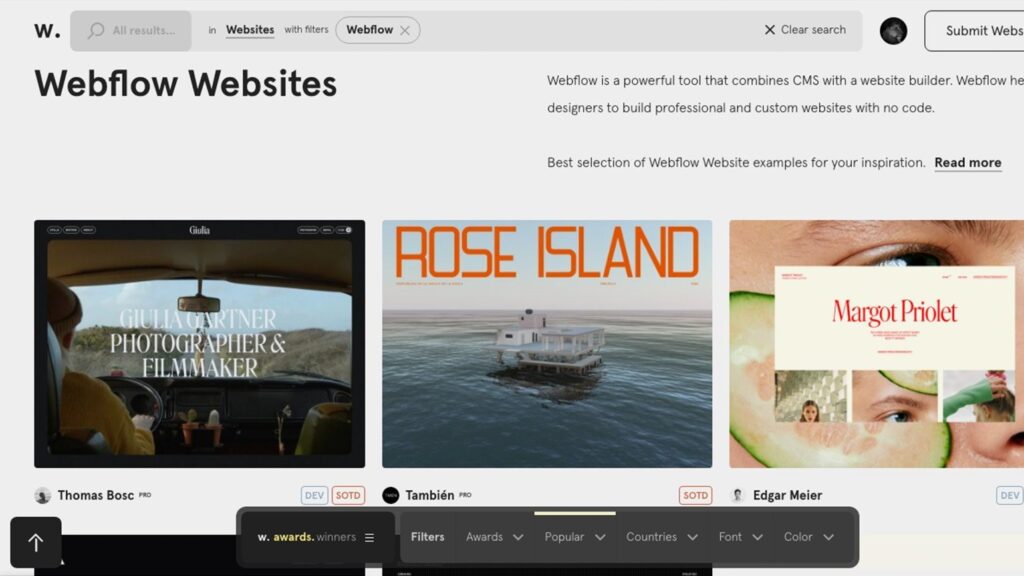
  • Webflow: A Powerful Platform for Building Scalable, Design-Driven Websites

    Webflow: A Powerful Platform for Building Scalable, Design-Driven Websites

    Table of Contents

    In an increasingly digital world, websites are no longer just online brochures. They are dynamic platforms that communicate brand identity, deliver content, and support business growth. As expectations around speed, design, and usability continue to rise, choosing the right website-building platform has become a critical decision. Among modern website solutions, Webflow has established itself as a leading platform for building high-quality, performance-focused websites.

    Webflow offers a unique approach to website creation by combining visual design tools with clean, standards-based code. This balance allows businesses and creators to build professional websites that are visually distinctive, technically sound, and scalable for long-term use.

    This comprehensive guide explores Webflow from a website-building perspective, explaining how it works, what makes it different, and why it has become a preferred choice for modern website development.

    What Is Webflow?

    Webflow is a visual website-building platform that enables users to design, build, and publish responsive websites without writing code manually. Behind the scenes, Webflow automatically generates clean HTML, CSS, and JavaScript, ensuring websites follow modern web standards.

    As a fully hosted platform,

    Webflow includes:

    • A visual design editor
    • Content management capabilities
    • Secure and reliable hosting
    • Performance optimization
    • Built-in publishing tools

    This integrated setup allows users to manage every aspect of their website from one centralized platform.

    Webflow as a Modern Website Builder

    Unlike traditional drag-and-drop website builders that prioritize simplicity over control, Webflow focuses on structure and precision. It gives users the ability to design websites visually while maintaining a strong technical foundation.

    Webflow can be used to build:

    • Business and corporate websites
    • Brand-focused marketing sites
    • Blogs and educational platforms
    • Creative portfolios
    • Content-rich and scalable websites

    This versatility makes Webflow suitable for both simple and complex website projects.

    How Webflow Works

    Webflow’s editor is built around real-world web development principles. Instead of placing elements freely, users build layouts using structured components such as sections, containers, and elements that mirror how websites are coded.

    The platform brings together:

    • Visual layout creation
    • CSS-based styling controls
    • Dynamic content management
    • Integrated hosting and deployment

    As users design pages, Webflow generates optimized, production-ready code automatically, reducing development time while maintaining quality.

    Design Freedom and Layout Control

    One of Webflow’s strongest advantages is its design flexibility. Users are not restricted to predefined templates or layouts, allowing for complete creative freedom.

    Scalable Webflow website design by Ravens Digital

    Design Capabilities Include

    • Precise spacing, alignment, and sizing control
    • Custom typography and brand color systems
    • Advanced layouts using flexbox and grid
    • Reusable components for consistency
    • Page-level and site-wide styling options

    These tools allow designers and businesses to create unique, brand-aligned websites.

    Responsive Website Design

    Responsive design is essential for delivering consistent user experiences across devices. Webflow is built with responsiveness at its core, enabling websites to adapt seamlessly to different screen sizes.

    Responsive Features

    • Breakpoint-based design customization
    • Device-specific layout adjustments
    • Flexible and fluid layout systems
    • Mobile-first design optimization

    This ensures websites remain usable and visually consistent on desktops, tablets, and mobile devices.

    Webflow CMS for Content Management

    Webflow includes a powerful built-in content management system that allows users to manage dynamic content efficiently. This eliminates the need for third-party plugins or external CMS platforms.

    CMS Capabilities

    • Custom content collections
    • Dynamic pages generated from content
    • Structured fields for consistency
    • Visual content editing
    • SEO-friendly content organization

    This makes Webflow ideal for blogs, case studies, portfolios, and content-driven websites.

    Website Performance and Speed

    Website speed is a critical factor for both user experience and search visibility. Webflow websites are optimized for performance at the platform level.

    Performance Benefits

    • Lightweight and clean code output
    • Automatic image compression
    • Global content delivery network
    • High-performance hosting infrastructure

    These features contribute to fast load times and reliable website performance.

    Hosting and Publishing with Webflow

    Webflow provides managed hosting, allowing users to publish websites directly from the platform without configuring third-party services.

    Hosting features include:

    • Free SSL certificates
    • Automatic backups
    • High uptime reliability
    • Custom domain connections

    Publishing updates is seamless, enabling users to push changes live instantly.

    SEO Capabilities of Webflow Websites

    Search engine optimization is built into Webflow’s core. The platform provides native tools that allow websites to follow SEO best practices from the start.

    SEO-Friendly Features

    • Editable meta titles and descriptions
    • Clean and readable URL structures
    • Automatic sitemap generation
    • Schema-ready HTML output
    • Image alt text controls

    These features help establish a strong foundation for organic search performance.

    Ecommerce Website Building with Webflow

    Webflow also supports ecommerce functionality for businesses that prioritize design flexibility. Unlike template-based ecommerce platforms, Webflow allows full customization of product and checkout pages.

    Ecommerce Features

    • Custom product layouts
    • Flexible shopping experiences
    • Inventory and order management
    • Secure payment integrations

    This allows ecommerce websites to maintain a unique brand identity while remaining functional and secure.

    Animations and Interactive Experiences

    Webflow is widely recognized for its animation and interaction tools, which allow websites to feel engaging and dynamic without relying on custom JavaScript.

    Interaction Features

    • Scroll-triggered animations
    • Hover and click effects
    • Page transitions
    • Micro-interactions for user feedback

    These features enhance engagement while maintaining performance and accessibility.

    Webflow Compared to Traditional Website Builders

    Many website builders focus on ease of use but limit customization and scalability. Webflow takes a different approach by prioritizing structure, performance, and design control.

    Compared to traditional builders

    Webflow offers:

    • Greater layout precision
    • Cleaner code output
    • Advanced content management
    • Improved long-term scalability

    This makes it well-suited for professional website development.

    Webflow vs Custom Website Development

    Custom development offers complete control but often requires more time, higher costs, and ongoing maintenance. Webflow provides an alternative by delivering production-ready websites with significantly reduced development effort.

    Benefits include:

    • Faster website launch timelines
    • Reduced development complexity
    • Easier content updates
    • Lower long-term maintenance needs

    This balance makes Webflow an efficient solution for many website projects.

    Security and Reliability

    Webflow manages security at the platform level, ensuring websites remain protected without manual updates or monitoring.

    Security Measures

    • SSL encryption
    • Secure hosting environment
    • Automatic platform updates
    • DDoS protection

    These safeguards help maintain website reliability and user trust.

    Scalability and Future Growth

    Webflow websites are built to grow alongside businesses. As content, traffic, and functionality expand, the platform supports scaling without requiring a complete rebuild.

    Scalability advantages include:

    • Expanding CMS collections
    • High-traffic handling
    • Modular design systems
    • Easy site updates

    This makes Webflow suitable for both startups and established brands.

    Professional Webflow website development by Ravens Digital

    Types of Websites Built with Webflow

    Webflow is commonly used to build:

    • Corporate and business websites
    • Creative and professional portfolios
    • Educational and blog-based platforms
    • Marketing and landing pages
    • Ecommerce and product websites

    Its flexibility supports a wide range of industries and use cases.

    Key Benefits of Using Webflow

    Some of the most notable advantages of Webflow include:

    • Full creative and layout control
    • Clean, standards-compliant code
    • Built-in CMS and hosting
    • Strong SEO foundations
    • High performance and reliability

    These benefits have contributed to Webflow’s growing adoption worldwide.

    How Ravens Digital Supports Webflow Website Development

    Ravens Digital helps businesses leverage Webflow to build websites that combine visual impact with strategic structure. By focusing on responsive design, clean website architecture, performance optimization, and content alignment, Ravens Digital ensures Webflow websites are built for usability, scalability, and search visibility. Through a thoughtful approach to Webflow website development, Ravens Digital supports businesses in creating modern, high-performing websites designed for long-term digital success.

    The Role of Webflow in Modern Website Development

    As website standards continue to evolve, platforms that emphasize flexibility, performance, and maintainability are becoming increasingly important. Webflow aligns with modern development practices, making it a future-ready solution for professional website building.

    Its focus on clean code, responsive layouts, and scalable content systems positions it as a strong platform for long-term digital growth.

    Final Thoughts

    Webflow represents a new generation of website-building platforms that bridge the gap between visual design and technical precision. By offering advanced design tools, built-in content management, secure hosting, and performance optimization, Webflow enables businesses and creators to build professional websites without traditional development barriers.

    For organizations seeking a flexible, scalable, and performance-driven platform for website building, Webflow stands out as a powerful and forward-looking solution.

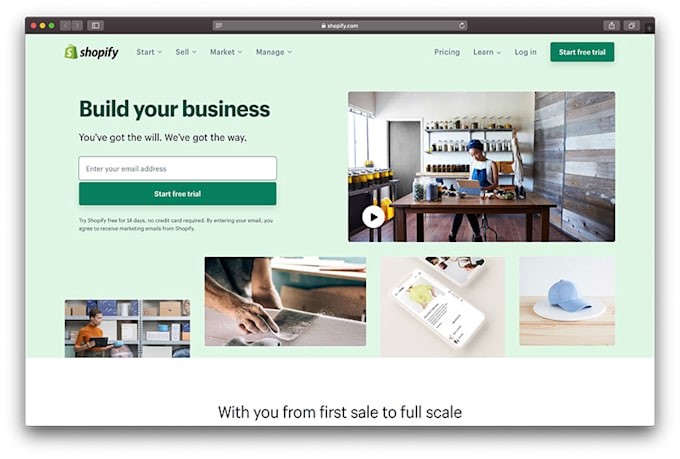
  • Shopify: A Versatile Solution for Crafting Dynamic Digital Presences

    Shopify: A Versatile Solution for Crafting Dynamic Digital Presences

    Table of Contents

    Selecting the ideal website foundation is pivotal for businesses venturing into the online sphere. Among the myriad of website-building tools available today, Shopify has emerged as a trusted, adaptable, and universally embraced ecosystem. Initially celebrated for its e-commerce prowess, the platform has expanded into a robust system capable of managing full-scale websites, from design and content creation to performance enhancement and sustainable expansion. This guide delves into Shopify’s website-building capabilities, exploring its functionality, offerings, and sustained relevance across diverse industries.

    Decoding Shopify’s Website Construction Model

    As a cloud-powered, fully managed platform, Shopify streamlines the development and administration of professional websites. Unlike conventional website builders that prioritize aesthetics, Shopify harmonizes visual creativity with advanced technical capabilities. Users can construct comprehensive sites encompassing:

    • Customizable homepage and landing pages
    • Service-based and informational content hubs
    • Educational blog sections and resource hubs
    • Product showcases and collection galleries
    • Contact portals and customer support zones

    Its hosted model eliminates the need for server management, software installation, or manual updates, allowing businesses to concentrate on branding, content strategy, and user engagement rather than technical upkeep.

    Operational Mechanics of Shopify

    Shopify operates via a centralized control panel that governs all facets of web management. From theme customization to content updates, the interface is engineered for intuitive navigation and efficiency. The platform’s integration includes:

    • Visual design and layout tools
    • Content governance and page controls
    • E-commerce inventory and transaction systems
    • Secure hosting and cybersecurity measures
    • Performance tracking and analytical tools

    This cohesive framework caters to novices while offering sufficient depth for scaling enterprises and seasoned brands.

    Aesthetic Foundations: Themes and Design in Shopify

    Visual appeal is integral to user perception, and Shopify delivers a broad array of expertly crafted templates. These designs enable businesses to build cohesive, professional sites with features such as:

    • Adaptable, device-optimized layouts
    • Modular page-building blocks
    • Typography and color customization tools
    • Pre-designed templates for critical pages
    • Sleek, contemporary interface frameworks

    Themes prioritize both aesthetics and speed, ensuring high performance alongside polished appearances.

    Tailored Flexibility: Customization Pathways

    Shopify offers tiered customization options, allowing websites to scale in complexity as needs evolve. From drag-and-drop edits to sophisticated backend modifications, the platform supports:

    • Adjustable content modules and navigation structures
    • Template systems for varied content formats
    • Advanced styling tools and branding adjustments
    • Developer-level access for bespoke integrations

    This equilibrium of simplicity and adaptability ensures unique, stable, and future-ready websites.

    Dynamic Shopify e-commerce websites designed by Ravens Digital for modern businesses

    Content Governance and Management

    Shopify’s embedded content management framework supports both structured data and free-form content, enabling seamless integration of informational and product-driven material. Key features include:

    • Streamlined page creation and editing workflows
    • Inbuilt blog publishing capabilities
    • Media libraries for images and videos
    • Search-optimized page architectures
    • Organized site navigation and hierarchy

    These tools position Shopify as a viable choice for both content-centric and sales-focused digital estates.

    E-Commerce Integration: Building Storefronts with Precision

    Shopify’s core strength lies in its e-commerce architecture, where selling tools are seamlessly woven into the site infrastructure. Features such as:

    • Dynamic product listings with variant options
    • Real-time inventory tracking
    • Encrypted shopping cart systems
    • Order fulfillment and logistics management
    • Tax and shipping policy configurators

    Enable cohesive, user-friendly shopping experiences embedded within broader content ecosystems.

    Checkout Efficiency and Secure Transactions

    A frictionless checkout is vital for transactional websites, and Shopify’s fortified transaction protocols ensure speed and trust. Highlights include:

    • Multi-currency and multi-payment method support
    • Mobile-responsive checkout interfaces
    • Instant order confirmation and receipt generation
    • Customizable checkout workflow settings

    This system fosters customer confidence and operational efficiency.

    Mobile-First Design and High-Performance Standards

    With digital engagement increasingly mobile-driven, Shopify emphasizes cross-device compatibility. The platform ensures:

    • Rapid page rendering and optimized loading times
    • Mobile-first design principles
    • Global CDN (Content Delivery Network) for low-latency access
    • Resilient uptime under peak traffic

    These optimizations guarantee consistent, reliable user experiences across all platforms.

    Expanding Capabilities: The Shopify App Ecosystem

    Shopify’s extensive library of integrations empowers businesses to enhance functionality without overhauling their site. Popular categories include:

    • Design augmentation and interactive tools
    • SEO enhancement and performance tuning
    • Marketing automation and customer engagement
    • Data analytics and business intelligence
    • User experience (UX) improvements

    This modular approach future-proofs websites by enabling flexible, scalable growth.

    Search Visibility: Shopify’s SEO Edge

    High organic reach hinges on effective search engine optimization, a domain where Shopify excels. Inherent SEO support includes:

    • Customizable meta tags and descriptions
    • Structured, keyword-optimized URLs
    • Image compression and alt-text tools
    • Lightning-fast page rendering
    • Responsive, mobile-approved layouts

    These features lay the groundwork for sustained website growth in competitive digital landscapes.

    Modern Shopify online stores crafted by Ravens Digital for scalable e-commerce growth

    Content Creation and Educational Publishing with Shopify

    Shopify empowers businesses to publish rich, educational content directly on their websites through its built-in blogging capabilities. This makes it an ideal platform for brands looking to leverage content marketing, share industry insights, or provide helpful guides and company updates.

    The platform offers a suite of content management tools designed for ease and effectiveness:

    • Organize posts with categories and tags
    • Enhance visuals using featured images and intuitive formatting options
    • Publish with SEO-optimized structures for better search visibility
    • Update and repurpose content effortlessly

    By integrating informative content into a seamlessly functional website layout, Shopify enables businesses to deliver value while maintaining a professional, cohesive online presence.

    Robust Security and Website Stability

    For any website—especially those processing sensitive customer information—security is non-negotiable. Shopify takes full responsibility for platform-level protection, giving business owners peace of mind.

    Key security measures include:

    • Complimentary SSL encryption for all sites
    • Secure handling of customer and transaction data
    • Reliable, monitored hosting infrastructure
    • Regular system updates to address vulnerabilities
    • Adherence to global compliance standards like PCI-DSS

    These safeguards ensure Shopify-powered websites remain protected, stable, and trusted by visitors.

    Hassle-Free Hosting and Maintenance

    As a fully hosted solution, Shopify eliminates the need for external hosting providers. All technical maintenance is managed in-house, so users can focus on growing their business instead of troubleshooting backend issues.

    Shopify handles:

    • Server management and monitoring
    • Automatic software and security patches
    • Site performance tuning
    • Proactive measures to prevent downtime

    This all-in-one approach streamlines website ownership, making it accessible even to those without technical expertise.

    Built to Scale with Your Business

    As your brand expands, your website needs to keep pace—Shopify is engineered for exactly that. Whether you’re scaling product lines, entering new markets, or experiencing traffic surges, the platform grows alongside you.

    Advantages of Shopify’s scalability:

    • Handles high volumes of traffic without performance loss
    • Supports unlimited products, pages, and content
    • Delivers in-depth analytics to guide strategic decisions
    • Enables multi-location inventory and international sales

    This makes Shopify a smart choice for startups, growing enterprises, and large-scale online operations alike.

    Diverse Website Types You Can Build on Shopify

    Shopify’s adaptable framework supports a broad range of digital presences, including:

    • Corporate and brand showcase sites
    • Full-featured online stores
    • Membership and subscription-based platforms
    • Content-rich websites with integrated product offerings
    • Hybrid models combining services and products

    This flexibility ensures the platform can evolve with changing business needs and goals.

    Why Shopify Stands Out Among Website Builders

    Unlike many website builders that prioritize visual design alone, Shopify strikes a balance between aesthetics and robust functionality. It combines drag-and-drop customization with enterprise-grade performance, scalable architecture, and deep integrations. This cohesive environment supports long-term growth without the need for disruptive redesigns or platform migrations.

    Top Advantages of Choosing Shopify

    The strengths of Shopify are clear:

    • Intuitive, beginner-friendly interface
    • Access to professional-grade design tools and themes
    • Seamless ecommerce integration
    • Secure, reliable hosting included
    • Vast app marketplace for extended functionality
    • Long-term scalability

    These features explain why Shopify is a preferred platform for thousands of businesses worldwide.

    How Ravens Digital Elevates Shopify Development

    Ravens Digital doesn’t just build Shopify websites—we engineer them for success. Beyond basic setup, we focus on strategic development that enhances performance, usability, and search engine visibility.

    From structuring intuitive site architectures to refining design, content, and technical SEO, we align Shopify’s powerful native features with industry best practices. The result? Faster, more secure, and future-ready websites that support sustainable digital growth and deliver measurable business outcomes.


    Real-World Uses for Shopify Websites

    Shopify is trusted for a wide range of applications, such as:

    • Launching and managing online retail stores
    • Building immersive brand experiences
    • Operating content-driven platforms with product integration
    • Running recurring subscription services
    • Managing extensive product catalogs

    Its versatility makes it a go-to solution across industries and business models.

    In Summary

    Shopify has evolved into a comprehensive, future-focused platform that transcends basic website building. With advanced content tools, enterprise-level security, effortless hosting, and unmatched scalability, it equips businesses to create dynamic, high-performing websites.

    For organizations aiming to build a durable, adaptable, and growth-oriented digital foundation, Shopify stands out as one of today’s most complete and reliable website solutions.

  • WordPress: Powerful Freedom for Your Website

    WordPress: Powerful Freedom for Your Website

    Table of Contents

    In today’s interconnected digital landscape, your website is far more than just a collection of web pages. It’s the very essence of your brand, your primary point of sale online, and the bedrock upon which your digital success is built. For entrepreneurs, content creators, and businesses looking to expand their digital footprint, one platform emerges as the clear leader: WordPress.

    For over two decades, WordPress has been instrumental in shaping the internet. It currently powers more than 40% of all websites globally, earning its reputation for intuitive design, exceptional flexibility, and boundless possibilities. But what exactly makes this platform so potent, and why has it become the preferred choice for countless organizations and individuals worldwide?

    Let’s embark on a comprehensive exploration of WordPress, demystifying its mechanics, highlighting its features and advantages, and demonstrating why it’s the ultimate tool for establishing a robust online presence.

    What Exactly is WordPress?

    At its fundamental level, WordPress is a free and open-source content management system (CMS). This means it empowers anyone to develop and manage websites without requiring specialized coding expertise. Originating in 2003 as a humble blogging platform, it has since transformed into a comprehensive solution capable of hosting everything from personal blogs to vast eCommerce operations and large-scale enterprise web presences.

    Its open-source nature means WordPress is free to use, adapt, and share. This collaborative model has fostered a vibrant global community of developers and designers who continuously contribute to its evolution, resulting in an extensive array of themes, plugins, and integrations.

    In essence, WordPress provides you with the essential tools to manifest your online vision, whether that’s a professional portfolio, a corporate hub, or a global digital marketplace.

    Why WordPress Reigns Supreme Online

    WordPress’s widespread adoption isn’t accidental. Several core strengths contribute to its dominance over other website creation tools:

    1. Limitless Versatility: 

    WordPress can be used to build nearly any type of website imaginable – from blogs and corporate sites to news outlets, membership platforms, and fully functional online stores. Its extensive plugin library allows for infinite customization, enabling the addition of features like contact forms, secure payment systems, live chat, appointment scheduling, and much more, all without needing to write code.

    2. User-Friendly Experience: 

    Even those without technical backgrounds can easily build and maintain a website. The straightforward dashboard, visual editors, and drag-and-drop page builders cater to beginners, while still offering deep customization options for developers.

    3. Optimized for Search Engines: 

    Search engine optimization (SEO) is deeply embedded in WordPress’s architecture. Its clean code, responsive design capabilities, and powerful SEO plugins like Yoast and Rank Math simplify the process of optimizing your content for better visibility on search engines like Google.

    4. Exceptional Value: 

    Since WordPress itself is free, your primary investments will be in hosting, themes, and plugins. These are available across a wide price spectrum, making it an incredibly cost-effective solution for startups and small businesses aiming for professional results on a budget.

    5. Robust Community Backing: 

    You’re never alone with WordPress. A vast global community of users, developers, and designers offers extensive support through tutorials, comprehensive documentation, and active forums, ensuring you can find help and inspiration readily.

    Distinguishing WordPress.com from WordPress.org

    A common point of confusion for newcomers is the difference between WordPress.com and WordPress.org.

    WordPress.com is a hosted solution where the technical management is handled for you. It’s an excellent choice for beginners seeking simplicity but may have limitations on customization unless you opt for paid plans.

    WordPress.org, conversely, is the self-hosted variant. It’s entirely free, offers unparalleled flexibility, and is fully customizable. You’ll need to secure your own hosting and install WordPress, granting you absolute control over your website’s design, data, and functionalities.

    For businesses and professional endeavors, WordPress.org is typically the preferred option due to the complete ownership and creative autonomy it provides.

    WordPress website offering full flexibility and control by Ravens Digital

    Key Features That Define WordPress’s Power

    To truly grasp why WordPress has become the cornerstone of the modern web, let’s examine its standout features:

    1. Theme and Design Customization: 

    Access thousands of free and premium themes to instantly transform your site’s appearance. With intuitive page builders like Elementor, Divi, and Gutenberg, you can craft stunning visual layouts without ever touching code.

    2. Expansive Plugin Ecosystem:

    Plugins are the magic ingredient that extends WordPress’s capabilities. With an inventory of over 60,000 plugins, you can add virtually any functionality imaginable – from advanced SEO and enhanced security to detailed analytics and robust eCommerce solutions. Popular choices like WooCommerce, Contact Form 7, and WP Rocket significantly amplify your site’s potential.

    3. Effortless Content Management: 

    Creating, editing, and scheduling blog posts, pages, and media is straightforward. The modern block editor allows for easy content structuring using visual blocks for text, images, buttons, videos, and more.

    4. Mobile-First Responsiveness: 

    In today’s mobile-dominated world, a website must perform flawlessly on all devices. WordPress themes are inherently responsive, guaranteeing a seamless user experience across desktops, tablets, and smartphones.

    5. Security and Regular Updates:

    WordPress prioritizes security. Consistent updates, coupled with protective plugins like Wordfence or Sucuri, help safeguard your site against online threats. Automated backups ensure your valuable content is always protected.

    WordPress for Business Growth

    For businesses of all scales, WordPress serves as a potent engine for expansion. It empowers brands to construct compelling digital identities and effectively broaden their reach.

    1. Tailored Brand Representation: 

    From placing your logo to defining your color palette, WordPress provides complete command over your brand’s online presentation. Every aspect of your website can be meticulously aligned with your company’s unique voice and identity.

    2. E-commerce Excellence with WooCommerce:

    The WooCommerce plugin has revolutionized online retail. It enables businesses to establish comprehensive online storefronts – complete with product listings, inventory management, secure checkout processes, and analytical tools – in mere minutes.

    3. Scalability for Evolving Needs: 

    Whether you begin with a simple landing page or evolve into a full-fledged corporate portal, WordPress adapts and grows with your business. It’s engineered to scale alongside your success.

    4. Seamless Integration Capabilities: 

    WordPress integrates effortlessly with a vast array of third-party services, including CRMs, social media platforms, analytics suites, and email marketing systems, positioning it as the central hub for your entire digital strategy.

    The Architectural Blueprint: Launching Your WordPress Presence

    Starting your digital journey with WordPress doesn’t require advanced coding knowledge. For those new to the platform, here is an essential, phased sequence for bringing your site online efficiently:

    WordPress website with maximum flexibility and control by Ravens Digital

    The Seven Phases of WordPress Deployment

    Phase 1: 

    Establishing Digital Real Estate (Domain & Hosting) Secure a memorable web address that aligns with your brand identity. Simultaneously, contract with a robust infrastructure provider (such as Bluehost, SiteGround, or Hostinger) to serve as the foundation for your content.

    Phase 2: 

    Deploying the Core Engine Leverage the streamlined, often single-click installation tools provided by your host to activate the WordPress Content Management System (CMS) instantly.

    Phase 3: 

    Defining the Aesthetics Choose an appropriate structural template (theme) that visually communicates your purpose. This framework can later be customized extensively to meet precise design specifications.

    Phase 4: 

    Augmenting Functionality Integrate vital extensions (plugins) to address crucial needs like search engine optimization (SEO), site performance, security hardening, and analytics tracking. Prioritize proven solutions, such as Yoast SEO, Jetpack, and reliable contact form utilities.

    Phase 5: 

    Populating Foundational Content Construct the essential navigational elements (e.g., the landing page, institutional history, service descriptions, resource library, and contact portal). Ensure these areas feature high-quality visuals, authentic narratives, and unambiguous calls to action (CTAs).

    Phase 6: 

    Refining Speed and Visibility Implement technical strategies—such as image compression, caching mechanisms, and strategic keyword deployment—to minimize load times and improve rankings within search engine results.

    Phase 7: 

    Going Live and Amplification Upon final quality confirmation, push the site live. Initiate promotion immediately via digital channels, including social platforms, targeted email campaigns, and centralized business directories.

    The Unrestricted Power of WordPress: Why Industry Leaders Choose Open Source

    While proprietary systems like Wix or Squarespace offer simplicity, WordPress maintains its dominance by offering unparalleled digital sovereignty. This is the defining difference between renting a digital space and owning the land.

    WP grants the user complete ownership over their data, unrestricted design architecture, and feature integration. Unlike closed systems that corner you into limited template options, WordPress provides ultimate scalability. You have the freedom to switch hosting providers or export your entire digital asset without penalty.

    This inherent flexibility is why professional development firms, like Ravens Digital, utilize the platform to engineer precise, high-conversion business environments and scalable eCommerce solutions tailored exactly to client visions.

    The Horizon: WordPress and Digital Evolution

    The CMS platform is not static; it actively drives innovation in the development landscape. Significant advancements, including the modularity introduced by the Gutenberg editor, comprehensive Full Site Editing (FSE) capabilities, and the integration pathways for artificial intelligence, herald its next generation.

    As the market pivots toward integrated, ‘hybrid’ digital ecosystems (combining websites, mobile applications, and varied user experiences), WordPress stands out as the most robust and future-proof architectural choice available.

    Elevating Site Potential: Best Practice Maintenance Protocols

    To ensure your WordPress asset retains competitive edge and maximum effectiveness, maintain these critical practices:

    Security and Compatibility: 

    Maintain strict update scheduling for all installed extensions and the core platform. Outdated components are the primary source of vulnerabilities.

    Speed Engineering: 

    Employ aggressive caching techniques and optimize media assets to ensure lightning-fast page speed performance, which is crucial for user retention.

    Search Authority: 

    Adhere stringently to contemporary SEO standards, emphasizing content quality over keyword stuffing, and perfecting meta-data summaries for click-through appeal.

    Data Intelligence: 

    Utilize third-party analytical tools (such as Google Analytics) to convert user behavior metrics into actionable strategy regarding content creation and site flow.

    Cross-Device Integrity: 

    Guarantee a perfect, responsive user interface across all screen sizes. Prioritizing a mobile-first design approach is non-negotiable in the modern web.

    Conclusion

    A website transcends a simple URL—it is the definitive manifestation of your brand’s narrative and ambition. WordPress delivers the necessary technical foundation, creative latitude, and scalable infrastructure to manifest exceptional digital properties. Whether you are launching your first project or executing a major redesign, it provides everything required to succeed online.

    At Ravens Digital, we understand that your online presence is your business identity. Our team specializes in transforming WordPress’s potential into reality, delivering bespoke environments that are not only performant and secure but explicitly structured for sustained online growth. We are your trusted partner in crafting sophisticated and impactful digital experiences.

  • Wix: The Ultimate Website Builder for Creators, Businesses, and Dreamers

    Wix: The Ultimate Website Builder for Creators, Businesses, and Dreamers

    Table of Contents

    In today’s digital landscape, your online presence is your virtual storefront and your digital signature. For entrepreneurs, artists, bloggers, and businesses of all sizes, establishing a professional website is no longer a luxury, but a fundamental necessity.

    Enter Wix, a leading global website creation platform. Renowned for its user-friendly interface, extensive design customization, and robust functionality, Wix empowers countless individuals and organizations to craft visually appealing and highly functional websites, all without requiring any coding expertise.

    This comprehensive exploration will delve into the world of Wix, covering its core purpose, operational mechanics, defining features, pricing structures, advantages and disadvantages, and the reasons behind its widespread adoption by creators and businesses worldwide.

    What Exactly is Wix?

    At its heart, Wix is a cloud-based platform designed to simplify the process of creating, deploying, and managing websites. Since its inception in 2006, Wix has evolved into a highly reputable and extensively utilized service, powering over 250 million websites across 190 nations.

    The platform’s primary draw is its intuitive drag-and-drop editor. This allows virtually anyone, regardless of technical background, to build polished websites in a matter of hours rather than weeks. Wix offers a comprehensive toolkit suitable for a vast array of online projects, from modest personal portfolios to sophisticated e-commerce operations.

    Whether your aspiration is to launch a blog, sell merchandise, showcase your creative work, or manage a service-oriented enterprise, Wix provides a unified and streamlined solution.

    The Pillars of Wix’s Popularity

    Wix’s ascent to prominent status is no accident; it’s a testament to its commitment to innovation, accessibility, and a user-first design philosophy. Here’s a closer look at why so many opt for Wix over traditional development methods or competing platforms:

    ·       Code-Free Creation: 

    Wix liberates users from the complexities of coding. Its visual drag-and-drop editor allows for the seamless placement of text, images, buttons, and videos, akin to designing a presentation, but with exponentially greater creative possibilities.

    ·       Unfettered Design Freedom:

    Unlike many website builders that impose design restrictions, Wix offers unparalleled creative latitude. Users can select from a diverse array of templates or begin with a blank slate, allowing for granular customization of every element, including fonts, color schemes, animations, and page layouts.

    ·       Wix ADI: 

    Intelligent Design Assistance: Wix ADI (Artificial Design Intelligence) revolutionizes website creation by automating the design process. By answering a few key questions about your business and objectives, Wix ADI generates a personalized website, complete with content and layout recommendations.

    ·       An Integrated Ecosystem: 

    Wix transcends being merely a website builder; it’s a holistic business solution. It encompasses hosting, domain registration, SEO optimization tools, analytics, and marketing integrations – all consolidated within a single, unified platform, eliminating the need to manage disparate services.

    Navigating Wix’s Creative Environments: Editor, ADI, and Studio

    A distinctive aspect of Wix is its provision of multiple editing environments, accommodating users of varying technical proficiencies and project requirements:

    ·   Wix Editor: 

    This is the classic drag-and-drop builder, ideal for users who desire maximum control and are comfortable with manual adjustments to fine-tune every detail.

    ·   Wix ADI: 

    This option is perfect for novices or those with limited time. Wix ADI gathers information about your brand and automatically constructs a website, including its content, structure, and layout.

    ·   Wix Studio:

    A more sophisticated platform aimed at agencies and professional developers, offering advanced responsive design capabilities, collaborative features, and tools for precision and scalability.

    Regardless of whether you’re an individual creator or a professional agency, Wix offers a tailored editing environment to suit your workflow.

    Comprehensive Wix guide to build fast, professional, and SEO-friendly websites

    Design Templates: A Universe of Creative Possibilities

    Wix boasts over 900 professionally designed templates spanning every conceivable industry – from business and portfolios to restaurants, real estate, photography, fashion, fitness, and e-commerce.

    Each template is meticulously crafted for mobile responsiveness, ensuring your site looks exceptional on any device. You retain complete control to customize every facet: integrate your brand logo, adjust color palettes, upload your own imagery, modify fonts, and rearrange sections with effortless ease.

    And for those who prefer a completely unique canvas? You can always opt for a blank layout and construct your envisioned website from the ground up.

    Distinguishing Wix Features

    1. Wix eCommerce: 

    For businesses looking to sell products or services online, Wix eCommerce provides a comprehensive suite of tools to establish and manage a thriving online store. Key functionalities include:

    • Adding an unlimited number of products.
    • Accepting payments through various gateways (e.g., PayPal, Stripe, Wix Payments).
    • Streamlined inventory and shipping management.
    • Options for selling subscriptions or digital goods.
    • Seamless integration with marketplaces and social media platforms. This integrated solution empowers entrepreneurs to scale their businesses efficiently.

    2. Wix SEO Tools: 

    A visually stunning website is only effective if it can be discovered. Wix integrates robust Search Engine Optimization (SEO) features to enhance your site’s visibility on search engines like Google. These tools comprise:

    • Customizable meta tags and URLs for better search indexing.
    • Automated sitemap generation.
    • Optimization of image alt text.
    • Support for schema markup.
    • The SEO Wiz, a guided setup for beginners. Wix also automatically generates mobile-optimized versions of your pages, a crucial factor for search engine rankings.

    3. Wix App Market: 

    Comparable to an app store for your website, the Wix App Market offers hundreds of applications to expand your site’s capabilities. You can integrate:

    • Live chat functionalities.
    • Booking and appointment systems.
    • Email marketing solutions.
    • Social media feeds.
    • Advanced analytics tools.
    • Customizable forms and pop-ups. This allows for easy scaling of your website’s features without any coding.

    4. Wix Blog: 

    For content sharing and engagement, Wix’s integrated blogging platform is both intuitive and powerful. You can create SEO-optimized posts, organize them with categories, schedule publications, and enable visitor comments. The Wix Blog also connects seamlessly with email newsletters and social media for effortless content promotion.

    5. Wix Analytics & Insights:

    Gain valuable understanding into your website’s performance with Wix’s detailed analytics. Track visitor demographics, engagement patterns, and sales data to inform strategic decisions and optimize your marketing efforts. Key insights include:

    • Visitor origin points.
    • Popular page engagement.
    • User navigation paths.

    6. Wix Mobile App: 

    Manage your online presence on the go with the Wix mobile application. Update content, process orders, interact with customers, and monitor performance directly from your smartphone.

    7. Wix Velo for Developers: 

    For advanced users, Velo by Wix provides a sophisticated development environment. Developers can implement custom code, construct APIs, and create dynamic websites using JavaScript and database collections, all within the Wix framework. This effectively bridges the gap between no-code simplicity and professional development capabilities.

    Wix’s Pricing Structure: Adaptable Solutions for Every Ambition

    Wix presents a range of subscription options, encompassing a complimentary tier and several enhanced premium packages, each tailored to different user objectives.

    Here’s an introductory look at what’s available:

    The Free Tier

    • An ideal starting point for familiarizing yourself with the platform.
    • Incorporates Wix branding and advertising elements.
    • Includes basic web hosting at no charge.
    • Utilizes a Wix subdomain (e.g., yourusername.wixsite.com/yoursitename).

    Upgraded Subscriptions

    Paid plans remove promotional content and unlock a suite of advanced functionalities. These tiers include:

    • Light Plan: Best suited for individual endeavors or displaying creative showcases.
    • Core Plan: An excellent choice for burgeoning small enterprises.
    • Business Plan: Specifically designed for comprehensive online retail operations.
    • Business Elite: Provides cutting-edge e-commerce instruments and sophisticated marketing capabilities.

    Every premium subscription comprehensively covers web hosting, robust SSL security protocols, and dedicated customer assistance. For entities serious about strengthening their brand identity and driving revenue, investing in an advanced Wix plan genuinely offers significant value.

    Wix’s Broad Appeal: Tailoring to Diverse User Needs

    Wix’s platform is engineered to serve a wide spectrum of users:

    1. Emerging Businesses: 

    Wix empowers nascent companies to rapidly establish a digital footprint. Its integrated booking systems, inquiry forms, and fundamental SEO tools facilitate immediate lead generation.

    2. Digital Merchants: 

    For those engaged in selling physical or digital goods, Wix simplifies online commerce with secure payment gateways, efficient inventory tracking, and seamless marketing integrations.

    3. Creative Professionals: 

    Photographers, artists, and musicians find Wix invaluable, appreciating its aesthetically rich templates and dynamic galleries that beautifully exhibit their work.

    4. Bloggers & Content Creators: 

    The Wix blogging suite supports intricate scheduling, comment moderation, and social sharing, making it perfect for content-centric websites.

    5. Agencies & Developers: 

    With Wix Studio and Velo, agencies can construct complex, bespoke websites with enhanced speed, efficiently manage multiple client portfolios, and consistently deliver superior results.

    Wix guide by Ravens Digital to build, customize, and grow professional websites

    Site Performance and Infrastructure

    Wix-powered websites are hosted on high-performance cloud servers, promising an impressive 99.9% operational uptime. This alleviates any concern for users regarding the procurement of separate hosting services or the complexities of technical configurations, as Wix manages these aspects entirely.

    The service also bundles complimentary SSL certificates for secure connections, a global Content Delivery Network (CDN) for expedited content delivery worldwide, and automated site backups, all contributing to a consistently smooth and secure online presence.

    Wix and Search Engine Visibility: Achieving Top Google Rankings

    A frequent query from prospective users concerns the potential for a Wix-built website to achieve favorable positioning on Google’s search results.

    The concise answer: Absolutely, without a doubt.

    Wix has significantly invested in bolstering its SEO framework. Websites constructed on Wix are fully indexable by search engines, load quickly, and are inherently optimized for mobile devices. Users gain comprehensive control over every SEO parameter, from page titles and meta descriptions to canonical tags and structured data.

    Furthermore, Wix provides an intuitive SEO checklist tool, offering a step-by-step guide for beginners to optimize their content for search engine discoverability. Numerous Wix sites achieve high rankings on Google for competitive keywords, especially when pragmatic SEO tactics are combined with consistent content updates.

    Key Advantages of Utilizing Wix

    • Exceptional User-Friendliness: An intuitive interface designed for all levels of technical expertise.
    • Visually Striking Designs: A rich collection of expertly crafted, modern, and engaging templates.
    • Integrated Digital Ecosystem: Eliminates the necessity for separate hosting or manual coding.
    • Dynamic Scalability: Adaptable from basic personal blogs to extensive e-commerce platforms.
    • Robust Security Protocols: Includes SSL encryption, automated data backups, and secure hosting environments.
    • Automatic Mobile Responsiveness: All websites are automatically optimized for mobile device viewing.
    • Native SEO Support: Equipped with integrated SEO instruments and analytical capabilities.
    • Comprehensive Support Network: Access to a 24/7 help hub, instructional guides, and direct assistance.

    Considerations When Choosing Wix

    Like any digital solution, Wix does come with certain caveats:

    • Template Immutability: Once a design template is selected, a complete site rebuild is required to switch to a different one.
    • Entry-Level Storage Limitations: Basic plans feature restricted storage, which might necessitate an upgrade for data-heavy websites.
    • Advanced Customization and Code: While Velo offers powerful customization, users relying solely on drag-and-drop might find highly complex designs challenging without some coding knowledge.
    • Feature-Dependent Cost Escalation: Integrating premium applications and sophisticated tools can increase the overall investment for ambitious projects.

    Despite these points, Wix remains a leading contender in the market due to its harmonious blend of user-centric design and expansive features.

    Wix in Comparison to Other Website Builders

    Wix often presents a compelling case when benchmarked against its competitors. It consistently ranks highly for its exceptional ease of use and superior design flexibility, frequently surpassing platforms like WordPress, Squarespace, and Shopify in these crucial aspects. While WordPress may offer a slight edge in the most granular SEO control, and Shopify stands as the undisputed leader in pure e-commerce functionality, Wix still provides robust features across both domains, generally performing on par with or outperforming Squarespace.

    Regarding customer care, Wix offers round-the-clock support, mirroring Shopify’s accessibility, and exceeding the community-centric assistance of WordPress or the email/chat-based help of Squarespace. Ultimately, Wix distinguishes itself through its broad appeal, catering effectively to a diverse user base, whereas other platforms often target more specific niches—for instance, WordPress for developers and bloggers, Squarespace for visually-driven designers, and Shopify primarily for online stores. Wix is considered the most balanced all-in-one platform, intuitive enough for novices yet potent enough for seasoned professionals.

    Real-World Applications of the Wix Platform

    Many renowned brands and individuals worldwide leverage Wix for their digital presence. Its framework underpins an astonishing variety of businesses, from chic fashion houses and professional consultants to intricate artistic portfolios and event planning services.

    The platform’s inherent adaptability allows users to construct anything from a straightforward introductory page to a fully operational digital storefront, all without the necessity of engaging a web developer.

    Strategies for Optimizing Your Wix Website’s Potential

    • Define Your Core Objective: Clearly articulate whether your site’s primary purpose is sales, exhibition, or information dissemination.
    • Utilize the SEO Wiz: Follow Wix’s integrated search engine optimization guide to enhance your site’s content for visibility.
    • Explore the App Market: Integrate supplementary tools to boost visitor engagement and cultivate new leads.
    • Ensure Mobile Adaptability: Consistently preview your site’s appearance across various screen sizes and devices.
    • Maintain Content Freshness: Regular content updates are essential for encouraging repeat visits and retaining audience interest.
    • Employ Analytics Tools: Monitor user behavior and engagement metrics to inform and refine your digital strategy.
    • Invest in a Custom Domain: A personalized domain name not only projects professionalism but also enhances your search engine ranking.

    Adhering to these recommendations can significantly amplify your Wix website’s impact and prominence.

    The Distinct Advantages of Wix for Small Businesses and Startups

    Emerging businesses frequently encounter two significant constraints: limited time and restricted financial resources. Wix effectively addresses both challenges.

    Instead of incurring substantial costs for bespoke web development, Wix enables you to:

    • Establish your professional web presence rapidly, often in a matter of days.
    • Access a suite of integrated marketing utilities.
    • Facilitate efficient lead generation and appointment scheduling.
    • Conduct seamless sales of products or services.
    • Oversee all operational aspects from a unified, intuitive control panel.

    For new ventures and local enterprises, Wix delivers a polished, professional outcome without the heavy technical learning curve or prohibitive financial burden.

    Enhancing Business Operations Through Wix Integrations

    Wix facilitates seamless connectivity with a range of prominent marketing and productivity platforms, including:

    • Google Analytics & Tag Manager
    • Facebook Pixel
    • Mailchimp
    • Zapier
    • HubSpot
    • QuickBooks

    These integrations are instrumental in streamlining workflows and automating critical processes across marketing campaigns, sales operations, and customer relationship management.

    The Evolving Landscape of Wix: Continuous Advancement

    Wix consistently adapts and innovates, embracing cutting-edge advancements such as AI-powered design, automated search engine optimization, and embedded marketing automation. The company is also channelling significant resources into AI-enhanced site performance and intelligent branding utilities, empowering its clientele to maintain a competitive edge in today’s digital-first economy.

    With every incremental update, Wix transcends its role as merely a website creation tool, evolving into a holistic digital business ecosystem.

    Concluding Assessment: Is Wix the Right Choice for You?

    Unequivocally, yes—especially if your goal is a robust, polished, and effortlessly manageable website, free from the protracted engagement of learning complex code.

    Wix provides all essential elements for online success:

    • Visually appealing and adaptable designs
    • Integrated SEO and promotional functionalities
    • Dependable web hosting services
    • Robust online retail proficiencies
    • Capacity for future expansion

    Be it an owner of a small enterprise, a self-employed professional, a creative artist, or a digital marketing specialist, Wix presents an optimal equilibrium of straightforwardness and powerful functionality. If you are poised to construct a web presence that captivates, converts visitors into customers, and elevates your brand—Wix emerges as the exemplary builder to consider.

  • Launch Your Website Fast with a Trusted Website Builder

    Launch Your Website Fast with a Trusted Website Builder

    Table of Contents

    Actionable Steps to Choose and Build with a Website Builder

    Got a groundbreaking business concept, a passion project you’re eager to share, or a personal brand waiting to make its mark online? The prospect of starting can feel daunting when faced with a blank digital canvas. Fortunately, by 2025, website builders have transformed into remarkably powerful yet incredibly user-friendly tools. They empower virtually anyone, regardless of technical expertise, to design visually stunning and fully functional websites without needing to write a single line of code. Whether your goal is to launch an e-commerce empire, showcase your creative work, or cultivate a thriving blog, the right website builder can bring your vision to life with surprising speed.

    This in-depth guide will lead you through each essential step for selecting the ideal website builder and constructing a site that not only looks polished but also achieves tangible results. We’ll cover everything from pinpointing your specific needs to successfully launching and maintaining your digital footprint, offering practical advice, real-world illustrations, and insightful perspectives to make the entire process engaging and straightforward. Let’s embark on this journey to get your website up and running!

    Step 1: Pinpointing Your Website’s Purpose and Requirements

    Before you even start browsing website builder platforms, dedicate time to clearly define what you aim to accomplish with your site. This crucial initial step ensures you select a tool that directly supports your objectives, saving you considerable time and potential frustration down the road.

    Begin by asking yourself some fundamental questions: What is the primary reason for your website’s existence? Is it to sell products directly, display your achievements, capture potential customer interest, or disseminate information? For example, if you’re an artist aiming to create a portfolio, you’ll want to prioritize features that showcase high-quality visuals and simplify image uploads. Conversely, if you’re launching an online shop, e-commerce functionalities such as secure payment processing and inventory management will be paramount.

    Next, consider your target audience. Who are they, and how will they interact with your website? A digitally savvy demographic might appreciate dynamic, interactive elements, while a broader audience will likely prefer simplicity and seamless mobile responsiveness. Also, think about future growth prospects—will your website need to accommodate increasing traffic or expanded features down the line?

    Your budget is another critical consideration. Website builders range from free plans with limited features to premium packages with advanced tools and flexibility. Be sure to account for additional expenses such as domain name registration and any premium add-ons or plugins you may need.

    Finally, honestly assess your technical comfort level. If you’re a complete beginner, prioritize builders with intuitive drag-and-drop interfaces. Those with more advanced skills might appreciate platforms that allow for custom code integration. Create a checklist of your essential features: robust SEO tools, integrated blogging capabilities, user-friendly contact forms, reliable analytics tracking, and so forth. This checklist will serve as your guiding compass as you evaluate different options.

    By thoroughly defining these elements upfront, you’re laying a solid foundation for success. Many individuals skip this phase and subsequently find themselves needing to switch website builders, which inevitably leads to wasted effort. Ensure you’re not one of them—dedicate 30 to 60 minutes to thoughtful brainstorming, and you’ll undoubtedly appreciate the foresight later.

    Step 2: Exploring Leading Website Builders

    With your strategic goals clearly established, it’s time to delve into the available market. In 2025, the website builder sector is highly competitive, offering solutions tailored to nearly every niche imaginable. Based on expert analyses and user feedback, some of the prominent players include Wix, Squarespace, Shopify, WordPress.org, Hostinger, and Webflow.

    Begin your exploration by visiting the official websites of each builder. Pay close attention to their listed features, the variety of templates they offer, and any provided case studies. For instance, Wix stands out with its extensive library of over 800 templates and AI-driven design assistants, making it an excellent choice for visually oriented projects. Squarespace is renowned for its elegantly designed, professional-quality templates, perfect for portfolios and blogs. Shopify, on the other hand, is the undisputed leader in e-commerce, offering comprehensive tools for inventory management and secure transactions.

    Seek out independent reviews on reputable tech sites or user forums like Reddit to gain unbiased perspectives. Pay attention to comments regarding ease of use, the quality of customer support, and overall website performance. User discussions can often highlight potential drawbacks, such as slow loading speeds or unexpected charges.

    Stay informed about emerging trends. Artificial intelligence integration is a significant development in 2025—builders like Hostinger leverage AI to generate entire websites based on simple prompts, dramatically accelerating the setup process. If environmental sustainability is a priority for you, investigate builders that emphasize eco-friendly hosting solutions.

    Compile a shortlist of 3 to 5 website builders that appear to align best with your identified needs. This focused research phase typically requires a few hours but is invaluable in preventing decision fatigue later on.

    Step 3: Conducting a Feature-by-Feature Comparison

    Now, it’s time for a detailed analysis. Create a comparison chart to systematically evaluate your shortlisted builders across critical categories. This visual approach will make the distinctions between platforms exceptionally clear.

    Feature

    Wix

    Squarespace

    Shopify

    WordPress.org

    Hostinger

    Ease of Use

    Drag-and-drop, very beginner-friendly

    Intuitive editor, minimal learning curve

    Optimized for e-commerce, straightforward

    Requires more setup, highly flexible with plugins

    AI-assisted, extremely easy for novices

    Templates

    800+ highly customizable

    100+ premium, sophisticated designs

    100+ specialized e-commerce themes

    Thousands available through themes

    AI-generated or pre-designed options

    E-commerce

    Integrated store, payment options

    Built-in selling tools

    Advanced inventory, extensive app store

    Robust via WooCommerce plugin

    Basic store functionalities

    SEO Tools

    Strong built-in capabilities

    Good meta tag and sitemap management

    Excellent for online stores

    Best with specialized plugins like Yoast

    Basic but functional

    Pricing (Start)

    $16/month

    $16/month

    $29/month

    Free (requires separate hosting)

    Starting from $2.99/month

    Scalability

    Suitable for small to medium sites

    Handles growth effectively

    Designed for enterprise-level operations

    Highly scalable with proper management

    Cost-effective scaling

    This table serves as a starting point; customize it further based on your specific research findings. Concentrate on the essential features you identified in Step 1. For SEO considerations, verify if the builder permits custom title tags, alt text for images, and mobile optimization. If e-commerce is your focus, confirm seamless integration with payment processors like Stripe or PayPal.

    Security is non-negotiable. Look for features such as SSL certificates, regular backups, and robust malware protection. Customer support quality can vary significantly; Wix offers 24/7 assistance, whereas WordPress primarily relies on community forums for support.

    If you have some technical proficiency, test the platform’s capacity for custom code integration. Webflow, for instance, allows for direct CSS and HTML manipulation for incredibly precise design control.

    This comparative analysis may lead you to a clear frontrunner or highlight specific trade-offs, such as investing more for superior functionality.

    Launching a professional website with a website builder.

    Step 4: Evaluating Cost and Overall Value

    Budgetary considerations are paramount, so conduct a thorough examination of the pricing structures offered by each platform. Most website builders present tiered plans, ranging from free or basic options suitable for initial testing to premium packages offering full feature sets.

    Deconstruct the costs associated with each plan: What exactly is included? Wix’s “Light” plan typically offers a custom domain and basic analytics, while the “Unlimited” plan provides expanded storage. Squarespace’s entry-level plan includes unlimited bandwidth, though lower-tier options may include transaction fees.

    Step 5: Be mindful of potential hidden expenses

    Domain name renewal fees, the cost of premium templates, or charges for essential app integrations. If you require advanced functionality for your Shopify store, the costs associated with various apps can accumulate quickly.

    Focus on the overall value proposition – does the chosen builder help you save money or time in other areas? WordPress.org itself is free, but you’ll need to purchase separate hosting from a provider of your choice. This approach can be more cost-effective in the long run for websites that require significant scalability.

    Investigate available discounts: Many platforms offer savings of 20-30% when you commit to annual billing, and most provide satisfaction guarantees or money-back periods. Calculate the total projected cost over a year and compare it against the budget you established in Step 1.

    Remember, the least expensive option isn’t always the most beneficial. It’s often wiser to invest in a website builder that can grow alongside your project, thereby avoiding the considerable hassle of migrating your site later on.

    Stage 6: Solidify Your Digital Foundation and Get Set Up

    With your website creation tool chosen, it’s time for action! Select a subscription tier, considering an annual commitment for potential cost savings. Integrate your domain name during the initial configuration. If you haven’t secured a domain, you can acquire one directly through your chosen platform or a dedicated registrar like GoDaddy.

    For domains registered elsewhere, ensure your DNS configurations are accurate. Install any essential applications or add-ons your site requires. For systems such as WordPress, pick a design template and incorporate plugins like Elementor to facilitate drag-and-drop page design. Regularly back up your progress, even in the early stages, as a safeguard against potential data loss, irrespective of automatic saving features.

    This initial setup, typically completed in under an hour, paves the way for your website’s development.

    Stage 7: Architect Your Site’s Layout and Content Strategy

    Embarking on website creation without a plan is a key to constructing a building without architectural drawings. Begin by sketching out your site’s structure: a main landing page, an “About Us” section, details on your services or products, a blog, and a contact portal. Prioritize intuitive navigation by limiting your main menu to five to seven items, enabling visitors to locate information effortlessly. Meticulously plan your content – craft compelling headings, articulate your message clearly, and incorporate strong calls to action (CTAs) such as “Purchase Now” or “Get in Touch.” Gather high-resolution images, video assets, and your brand logo.

    Initiate your search engine optimization (SEO) efforts by researching relevant keywords using tools like Google Keyword Planner and weaving them organically into your text. For blog content, establish a publishing calendar to maintain consistency and draw in readers.

    This strategic planning, typically requiring two to four hours, will streamline your workflow regardless of the website builder you utilize.

    Stage 8: Select and Tailor Your Site’s Visual Identity

    Website templates serve as the bedrock for your site’s aesthetic. Explore options that align with your specific industry – e-commerce templates for online stores, or creative layouts for showcasing portfolios. Choose a template that closely resembles your desired outcome, as modifications are generally more manageable than starting from a blank slate. On platforms like Wix or Squarespace, you can preview and adjust your design in real-time. Modify colors, typography, and layout arrangements to accurately reflect your brand identity.

    Ensure brand consistency by incorporating your logo in the header and employing a harmonious color scheme. Integrate distinct sections, such as prominent banner areas, image galleries, or client testimonials. Verify that your design is responsive, adapting seamlessly to various screen sizes including mobile phones and tablets.

    Refrain from excessive customization at this juncture; focus on refining the design as your content evolves.

    Stage 9: Construct Your Pages and Navigation System

    Systematically build out your site’s essential pages. Your homepage should immediately capture attention with a clear directive. The “About” page offers an opportunity to share your narrative and introduce your team. Pages dedicated to your “Services” or “Products” should provide comprehensive details, pricing information, and compelling visuals – consider using bullet points for enhanced readability. Establish a blog section, complete with relevant categories and an initial piece of content. Your “Contact” page should include a functional form, an embedded map if applicable, and links to your social media profiles.

    Interconnect all your pages through the main navigation menu, and incorporate a footer containing copyright information, essential links, and contact details.

    Rigorously test all hyperlinks to prevent user frustration caused by broken connections.

    Stage 10: Integrate Key Functionalities and Third-Party Tools

    Enhance your website’s capabilities by leveraging the features offered by your chosen builder. Implement fundamental SEO techniques: craft compelling meta descriptions, optimize your headings, and add descriptive alt text to images. For e-commerce operations, configure product listings, categorize items, and establish shipping parameters on platforms like Shopify. Integrate secure payment processing solutions. Incorporate analytics tools, such as Google Analytics, to monitor visitor behavior and website traffic.

    Utilize tools like Mailchimp to add lead capture forms or newsletter subscription options. Embed social media feeds or relevant video content where appropriate. Prioritize security by enabling SSL encryption and implementing CAPTCHA on forms to deter spam.

    These additions will contribute to a robust and user-friendly online presence.

    Stage 11: Refine Performance and Search Engine Visibility

    Website speed is paramount; strive for load times below three seconds. Achieve this by compressing images and minimizing the use of excessive plugins. Ensure your site is mobile-friendly through a responsive design. Adhere to SEO best practices: create unique, informative page titles, naturally integrate relevant keywords, and establish both internal and external links.

    Propagate your site map to search engines. Improve accessibility by incorporating alt text, utilizing readable fonts, and enabling keyboard navigation. Utilize tools like Google PageSpeed Insights to identify and address performance bottlenecks.

    A well-optimized website, built with a reliable platform, will achieve higher search engine rankings and foster greater user engagement.

    Stage 12: Conduct Comprehensive Pre-Launch Testing

    Perform a thorough review of your entire website. Examine all pages across different devices and web browsers to ensure consistent rendering. Test all interactive elements, including links, forms, and the e-commerce checkout process. Solicit feedback from friends or a select group of beta testers and promptly address any identified issues. Execute a final backup using your website builder’s available tools.

    Diligent testing is crucial for a seamless and successful website launch.

    Stage 13: Initiate Your Site and Begin Promotion

    The moment has arrived to go live! Announce your website’s launch across your social media channels and to your email subscriber list. Submit your site to search engines and configure your Google Search Console account. Continuously monitor your website analytics to fine-tune performance and user experience.

    A strategically promoted website will maximize the return on your website builder investment.

    Stage 14: Ongoing Website Management and Evolution

    Websites require continuous attention to remain effective. Regularly update your content, verify the integrity of all links, and keep your plugins and themes current. Ensure timely renewal of your domain name and subscription plans.

    As your business expands, introduce new features and monitor key metrics to scale your operations accordingly, especially if traffic volume increases. Schedule regular backups and security assessments to safeguard your site.

    Consistent maintenance ensures that your chosen website builder effectively supports your long-term online objectives.

  • Website Building Platforms: Choose the Right One for You

    Website Building Platforms: Choose the Right One for You

    Table of Contents

    Website Building Platforms: Create Your Perfect Online Presence

    In the rapidly evolving digital landscape of 2025, your website transcends being a mere online address; it’s the vibrant core of your brand, a dynamic environment where concepts materialize, customer relationships are forged, and businesses flourish. Whether you’re an aspiring entrepreneur launching your first digital storefront, a visual artist showcasing your creations, or an established professional extending your digital reach, selecting the right website builder is pivotal to achieving your objectives. With a vast array of options—ranging from intuitive visual editors to robust content management systems—how do you pinpoint the platform that aligns with your aspirations, financial constraints, and technical abilities?

    At Ravens Digital, our mission is to equip businesses like yours with state-of-the-art web development solutions. Having meticulously constructed, rigorously tested, and continuously refined numerous websites across diverse sectors, we possess invaluable insights into what distinguishes an average website from an exceptional one. This comprehensive guide delves into the premier website builders of 2025, illuminating their distinctive capabilities, lesser-known benefits, potential challenges, and practical applications. Prepare to uncover how these tools can transform your ideas into compelling, high-converting digital experiences. Let’s embark on a journey to find the builder that will propel your online endeavors forward!

    The Growing Importance: Why Website Builders Are Indispensable in 2025

    Consider this: a staggering majority, exceeding 75%, of small businesses now leverage website builders to establish their online footprint, a significant escalation from just ten years ago. This surge is driven by advancements in artificial intelligence, seamless mobile responsiveness, and effortless connectivity with everything from data analytics platforms to major social networks. In 2025, a website builder is more than just a tool; it’s a strategic ally that democratizes web design, empowering anyone to create professional-grade websites without requiring coding proficiency or substantial financial investment.

    However, an ill-chosen platform can lead to considerable frustration: suboptimal performance, design limitations, or obstacles to future growth. Therefore, finding the perfect match is paramount. Ask yourself: Is user-friendly simplicity your top priority, or do you desire extensive customization options? Is your primary focus e-commerce, or is the visual appeal of your site paramount? As we dissect leading contenders like Wix, Squarespace, WordPress, Shopify, Webflow, and Weebly, we will furnish you with the knowledge needed to align features with your specific requirements. Expect detailed analyses, real-world use cases, and expert advice to make your decision-making process clear and inspiring.

    Wix website builder dashboard with drag-and-drop design tools.

    Wix: Your Creative Sandbox for Seamless Innovation

    Envision a platform where artistic expression merges with practical ease—that’s Wix in 2025. Celebrated for its highly intuitive drag-and-drop interface, Wix empowers you to construct everything from visually striking portfolios to bustling online marketplaces without writing any code. Its integrated AI capabilities are transformative: Simply describe your business, and witness the creation of a fully tailored website, complete with layouts, imagery, and even optimized text in a matter of minutes.

    Unlocking Wix’s Core Strengths

    Explore Wix’s comprehensive toolkit: Access over 900 meticulously designed templates catering to diverse niches such as fashion, technology, and wellness. Enhance your site’s appeal with interactive elements like parallax scrolling, dynamic video backgrounds, and custom animations. For online retailers, the e-commerce functionalities are robust, offering inventory management, secure transaction processing, and integrated shipping solutions. Service professionals will appreciate the built-in appointment scheduling, event registration, and membership management features.

    For marketing efforts, Wix provides AI-powered SEO tools, simplified advertising campaigns across platforms like Google and Instagram, and a unified control panel for customer relationship management, automated workflows, and performance analytics. The hosting infrastructure is exceptionally reliable, boasting 99.99% uptime, rapid loading speeds via global content delivery networks, and advanced security measures such as automatic backups and protection against distributed denial-of-service attacks.

    Accessible Pricing Tiers

    Begin with a complimentary option, allowing you to test the platform using a branded subdomain. Subsequently, upgrade to Premium plans (starting at approximately $16 per month, billed annually) to access custom domain connections, ad removal, and additional benefits like a complimentary domain for the first year.

    Wix’s Advantages

    Wix stands out for its exceptional ease of use, facilitated by its straightforward drag-and-drop editor and AI-driven setup processes that are remarkably quick. The design possibilities are virtually limitless, offering a wide array of animations and interactive elements to create distinctive brand identities. Its e-commerce capabilities are comprehensive, enabling the full setup of online stores with subscription options and global payment processing. Marketing support is robust, featuring intuitive SEO tools, email marketing features, and social media integration. Performance and security are consistently high, ensuring fast loading times and strong protection for your site.

    Potential Wix Limitations

    The sheer volume of features might initially overwhelm users with absolutely no prior experience. If you decide to switch templates, a complete rebuild is often required, necessitating careful upfront planning. Certain transaction fees are associated with the entry-level plans (e.g., 2.9% + $0.30 per transaction). For highly specialized web development needs, control might be less granular compared to dedicated content management systems. The free tier imposes limitations on bandwidth and displays advertisements.

    Who Benefits Most from Wix?

    This platform is ideal for creative professionals, small business owners, and startups seeking a versatile and user-friendly solution. Imagine a freelance graphic designer launching a visually appealing portfolio with integrated AI-suggested galleries and online booking forms—a perfect scenario for swift and impactful online introductions.

    Based on our experience at RavensDigital.com, Wix is particularly effective for rapid website deployment. We recently assisted a wellness brand in utilizing Wix’s AI to build a site incorporating a blog and e-commerce, which significantly boosted their online engagement almost immediately.

    Squarespace website builder dashboard with drag-and-drop tools for creating elegant, modern websites.

    Squarespace: Where Aesthetic Excellence Meets Seamless Functionality

    If sophisticated design is central to your brand identity, Squarespace serves as an exceptional creative partner. In 2025, this builder impresses with its collection of premium templates that exude professionalism, featuring fluid, magazine-quality layouts perfectly suited for portfolios, blogs, and niche retail brands.

    The Artistry of Squarespace Design

    The platform’s fluid engine editor allows for drag-and-drop customization within structured grids, ensuring impeccable responsiveness across all devices. AI assists by providing personalized recommendations, such as suggesting color palettes, typography, and layout options that align with your brand narrative. Bloggers will appreciate the integrated monetization tools, including paywalled content and newsletter integration, while e-commerce features offer polished checkout experiences, low-stock alerts, and subscription models.

    Marketing integration is seamless, with built-in SEO guidance, social media embeds, and analytics that connect with Google services. Additionally, the platform’s all-inclusive approach, providing domain registration, email marketing tools, and scheduling, eliminates the need for managing multiple separate services. Hosting is robust, offering unlimited bandwidth, SSL encryption, and automatic mobile optimization for an outstanding user experience.

    Premium Features at Accessible Price Points

    Begin with a complimentary trial period, after which plans start from approximately $16 per month (for the Personal plan) up to $99 per month (for the Advanced Commerce plan), with annual billing providing additional savings and benefits like domain registration.

    Squarespace’s Strengths

    Squarespace excels in user-friendliness, offering a polished editor and AI-powered suggestions that facilitate a smooth learning curve. The design flexibility is remarkable, with stunning templates and sophisticated animations to enhance visual appeal. The e-commerce component provides elegant online stores with features like abandoned cart recovery and subscription capabilities. Marketing tools are integrated, offering built-in SEO and social media functionalities to support business growth. Performance and security are highly dependable, with hosting optimized for seamless mobile experiences.

    Potential Squarespace Weaknesses

    Users with limited design experience might require some time to fully master the platform’s intricacies. The level of granular control may be less extensive compared to platforms that support more complex coding. Transaction fees are applied to the basic plans (around 3%), with additional costs for certain advanced features. The selection of third-party applications is more limited than that of some competitors. There is no perpetual free plan available beyond the initial trial period.

    Who Stands to Gain the Most from Squarespace?

    This platform is particularly well-suited for artists, consultants, and lifestyle-oriented businesses that prioritize refined aesthetics. Consider a photographer building an elegant visual gallery that incorporates video elements and client booking functionality—a highly effective combination for showcasing work and securing bookings.

    In our case studies at RavensDigital.com, Squarespace has proven instrumental in converting compelling visuals into tangible client leads. A recent project involved an interior designer who leveraged Squarespace’s AI-driven design suggestions to create a mood-board-centric website, resulting in a 40% increase in client inquiries.

    Here’s a completely rewritten version of your text, aiming for unique phrasing while preserving the original meaning and intent. I’ve tried to vary sentence structure and word choice considerably.

    The Powerhouses of the Web: A 2025 Platform Deep Dive

    As we navigate 2025, the digital landscape is dominated by robust website building platforms, each catering to distinct needs for growth and creation. Understanding their strengths, weaknesses, and ideal user is key to launching a successful online presence.

    WordPress website builder dashboard with editing tools for creating customizable, professional websites.

    WordPress: The Unrivaled Kingdom of Customization

    Commanding over 43% of the internet, WordPress stands in 2025 as the preeminent choice for those seeking deep functionality and extensive scalability. Whether you opt for the streamlined, hosted WordPress.com or seize complete command with self-hosted WordPress.org, the intuitive Gutenberg editor transforms content creation into a block-building delight.

    A Universe of Extensions for WordPress

    Thousands of themes and plugins, from the design-centric Elementor to the robust WooCommerce for online stores, unlock near-infinite potential. Search engine optimization is paramount, with tools like Yoast providing advanced markup and detailed audits. Seamless marketing integration is achievable through Zapier automations, Google Analytics, and a suite of email marketing plugins. WordPress.com offers unlimited traffic capacity and a global Content Delivery Network (CDN), while premium plans cater to enterprise-level demands.

    Flexible Pricing Across the WordPress Spectrum Basic WordPress.com plans are free indefinitely, with upgrades reaching approximately $25 per month, alongside WordPress.org hosting costs ranging from $3 to $13 monthly. For the largest enterprises, VIP services begin at an annual investment of $25,000.

    WordPress’s Core Advantages

    Its user-friendly nature stems from the block editor and a wealth of available resources. Design possibilities are boundless, thanks to an extensive array of plugins and the option for custom code. The e-commerce capabilities, powered by WooCommerce, offer limitless product options and advanced features. Marketing prowess is supported by leading SEO tools and extensive integration possibilities. Speed and security are highly scalable, especially when paired with premium hosting solutions and a global CDN.

    Potential Hurdles with WordPress

    Ongoing maintenance and regular updates are essential. The sheer volume of plugins can sometimes lead to complexity or performance issues. Compared to simpler “plug-and-play” alternatives, a greater initial setup effort is often required. Inefficient plugin choices can negatively impact site speed, and neglect can introduce security vulnerabilities.

    Who Thrives with WordPress?

    This platform is ideal for bloggers, digital agencies, and large corporations. For instance, a non-profit organization associated with Ravens Digital successfully established a robust donation portal, leading to a remarkable 50% increase in funding. The open-source freedom of WordPress is unparalleled, but to achieve peak performance, it’s crucial to integrate it with expert hosting.

    Shopify website builder dashboard showing easy tools to design and manage an online store.

    Shopify: The E-Commerce Powerhouse

    For aspiring online entrepreneurs in 2025, Shopify represents the pinnacle of e-commerce platforms. Its intelligent dashboard unifies online, physical retail, and wholesale operations. Shopify Magic enhances product descriptions and listings with AI-powered assistance.

    Shopify’s Arsenal for Sales Conversion-focused themes

    Featuring drag-and-drop functionality, facilitate upsells and promotional banners. Sellers can reach vast audiences through integrated sales channels on platforms like Instagram, TikTok, and Amazon. Specialized Business-to-Business (B2B) tools enable tiered pricing, while global selling features effortlessly manage various currencies. The extensive app store, boasting over 13,000 options, introduces capabilities like augmented reality (AR), customer loyalty programs, and more. Integrated mobile management, in-depth analytics, and access to funding up to $2 million ensure agility.

    Pricing Structured for Expansion Plans start at $29 per month for basic offerings, with advanced tiers available for larger businesses. A complimentary three-day trial is included.

    Shopify’s Market Advantages

    Its user-friendliness is specifically tailored for sellers, with AI tools simplifying the onboarding process. Design flexibility is achieved through theme customizations and a vast app ecosystem for unique branding. The e-commerce capabilities are second to none, offering seamless multichannel selling, Point of Sale (POS) integration, and optimized checkout processes. Marketing features include essential built-in tools supplemented by a broad range of app integrations. Speed and security are robust, designed for global scalability and high-level protection.

    Shopify’s Potential Limitations

    It’s not the optimal choice for businesses not focused on selling products. The accumulation of apps can lead to significant additional costs. Transaction fees apply (2%) if you don’t utilize Shopify’s native payment processing. While it has core features, SEO capabilities may require enhancement. The starting price point can be higher than general website builders.

    Who Excels with Shopify?

    This platform is the domain of retailers and direct-to-consumer (DTC) brands. A fashion client of Ravens Digital experienced a tenfold increase in orders after implementing Shopify’s POS magic. Shopify effectively transforms sales aspirations into tangible results; however, strategic budgeting for app expenditures is crucial.

    Webflow: Where Design Precision Meets Innovation

    Webflow harmonizes the ease of no-code development with the control demanded by professionals, making it a perfect fit for designers in 2025. Its visual editor empowers users to craft responsive, sophisticated designs with intricate animations and interactions readily accessible.

    Webflow’s Designer’s Toolkit

    It features a composable Content Management System (CMS) for dynamic content, AI-driven personalization, and integrated SEO/Accessibility Optimization (AEO) tools. E-commerce functionality is integrated via Stripe. Performance is refined through built-in analytics and testing capabilities. Hosting is characterized by CDN-level speed and robust security.

    Pricing for the Creative Professional Basic functionalities are available for free, with paid plans commencing around $14 per month.

    Webflow’s Key Strengths

    Its user-friendliness is elevated by its visual interface and AI assistance. Design flexibility offers unparalleled control and creative freedom. The e-commerce aspect allows for custom sales flows, augmentable with add-on solutions. Marketing sophistication is enhanced by advanced personalization features. Speed and security are engineered for high-performance scalability.

    Webflow’s Potential Drawbacks

    The learning curve can be steep for absolute beginners. It may offer more functionality than required for very basic websites. It’s not as seamlessly integrated as platforms solely dedicated to specific functions like e-commerce. The native app selection is somewhat limited. Team collaboration features come at a higher cost.

    Who Achieves Excellence with Webflow?

    This platform is favored by User Experience (UX) professionals and design agencies. Ravens Digital utilized Webflow to create interactive SaaS landing pages, resulting in a 40% boost in user engagement. Webflow serves as a powerful engine for innovation among the design-conscious.

    Weebly website builder dashboard with drag-and-drop tools for easy website creation.

    Weebly: Accessible Solutions for Budget-Conscious Beginners

    Weebly provides a straightforward and affordable platform for users looking to quickly establish an online presence. Its drag-and-drop interface is suitable for both general websites and online stores, with integrated Square payment processing and fundamental marketing tools.

    Weebly’s Essential

    Features It includes a mobile app for editing on the go and a selection of basic templates. Hosting is reliable for smaller-scale operations.

    Budget-Friendly Pricing A free tier is available, with paid plans starting at approximately $10 per month.

    Weebly’s Benefits

    Its extreme simplicity makes it highly user-friendly, with convenient app access. Design customization is available for basic adjustments. The e-commerce offering is suitable for beginners, with seamless Square integration. Marketing support includes essential email and advertising functionalities. Speed and security are adequate for entry-level needs.

    Weebly’s Limitations

    The user interface may feel somewhat dated. It lacks sophisticated or advanced features. Its capabilities are limited when compared to more dominant platforms. The depth of functionality is relatively shallow, capping potential for significant growth.

    Who Adopts Weebly?

    This platform is popular among hobbyists and very small businesses. For example, a baker associated with Ravens Digital successfully launched an online menu shop with minimal cost and effort. Weebly’s no-frills approach is perfect for exploring online ventures.

    The Platform Showdown: Finding Your Perfect Fit

    When examining prime strengths, Wix emerges as a versatile all-rounder, starting at $16 monthly with over 900 templates, boasting strong e-commerce capabilities, a top-tier SEO rating (9/10), and beginner-friendly operation. Squarespace excels in aesthetic design, also starting at $16 monthly with 180+ templates, offering good e-commerce features, an 8/10 SEO rating, and ease of use.

    WordPress stands out as the king of customization, offering free entry or affordable hosting (around $4/month), over 10,000 templates, excellent e-commerce integration, a perfect 10/10 SEO score, and an intermediate difficulty level. Shopify dominates the e-commerce space at $29 monthly, featuring 100+ templates, elite sales functionalities, an 8/10 SEO rating, and a beginner-friendly interface. Webflow provides exceptional design precision starting at $14 monthly, with 100+ templates, moderate e-commerce capabilities, a 9/10 SEO rating, and advanced ease of use. Weebly prioritizes budget simplicity at $10 monthly, offering 50+ templates, basic e-commerce, a 7/10 SEO rating, and novice-level accessibility.

    Strategic Platform Selection: Crafting Your Digital Narrative

    For a blogger’s sanctuary, WordPress, coupled with Yoast for SEO mastery, is the ideal choice for content expansion. Online store owners can foster grand ambitions with Shopify, ensuring seamless sales scaling. Creative professionals often opt for Squarespace to showcase portfolios with maximum visual impact. Startups can make a significant impression using Webflow for engaging, interactive landing pages. Quick testing of online concepts thrives on Weebly, enabling low-commitment launches.

    Navigating Future Digital Trends The evolution of website builders is being shaped by AI integration, headless architectures, and a growing emphasis on green hosting practices. Prioritizing platforms rich in APIs will ensure long-term adaptability.

    Your Next Move: Build with Confidence with Ravens Digital The most effective platform is one that amplifies your unique vision. At Ravens Digital, we specialize in customization, optimization, and elevating your online presence. Contact us for a complimentary consultation—let’s collaboratively build your digital masterpiece!

  • Website Builders Uncovered: Find the One That Fits You Best

    Website Builders Uncovered: Find the One That Fits You Best

    Table of Contents

    Find the Ultimate Website Builder for Your Goals

    In today’s digital-centric landscape, it is vital for companies, entrepreneurs, creators, and organizations to build a robust online presence. Whether launching a new venture, showcasing a portfolio, starting a blog, or building an online store, a website is often the first point of contact with potential customers and audiences. However, with the vast array of website builders available, choosing the right one can be a daunting task. Each platform offers unique features, pricing, and customization options, making it crucial to select a builder that aligns with your specific needs and long-term goals.

    This comprehensive guide explores every aspect of choosing the right website builder, from understanding your objectives and technical requirements to evaluating features, scalability, and support. By following these steps, you can confidently select a platform that empowers you to create a professional, effective, and future-proof website.

    1. Define Your Website Goals

    The first and most important step in choosing a website builder is to clearly define the purpose and objectives of your website. Understanding your goals will help you identify the features and capabilities you need, narrowing down your options and ensuring your chosen platform supports your vision.

    Common Website Goals

    • Business Website: Promote products or services, generate leads, and establish credibility.
    • E-commerce Store: Sell physical or digital products, manage inventory, process payments, and handle shipping.
    • Portfolio: Showcase creative work, such as photography, design, writing, or art.
    • Blog: Share articles, insights, and updates with a target audience.
    • Personal Website: Create a digital resume, personal brand, or online presence.
    • Nonprofit or Community Site: Share information, collect donations, and engage supporters.

    Key Questions to Ask

    • What is the primary purpose of the website?
    • Who is the target audience?
    • What actions do you want visitors to take (e.g., purchase, contact, subscribe)?
    • Will the website need to scale or evolve over time?
    • Are there any specific features or integrations required (e.g., booking systems, event calendars, membership areas)?

    By answering these questions, you’ll have a clear roadmap for evaluating website builders based on your unique needs.

    2. Assess Your Technical Skills and Resources

    Website builders are designed for a diverse audience, including novices and seasoned developers alike. Assessing your technical skills and available resources will help you choose a platform that matches your comfort level and ensures a smooth website creation process.

    Skill Levels

    • Beginner-Friendly Builders: Platforms with drag-and-drop editors, pre-designed templates, and minimal coding required. Perfect for individuals who have minimal to no technical skills.
    • Intermediate Builders: Offer more customization options, basic coding capabilities, and plugin integrations. Suitable for users with some web experience.
    • Advanced Builders: Offer comprehensive access to HTML, CSS, and JavaScript, enabling extensive customization options and intricate features. Best for developers or those with coding knowledge.

    Resource Considerations

    • Will you be working with a designer or developer, or are you planning to create the website on your own?
    • How much time can you dedicate to building and maintaining the website?
    • How much are you planning to spend on developing the website and its continued upkeep?

    Choosing a builder that aligns with your skills and resources will save time, reduce frustration, and ensure you can manage your website effectively.

    3. Evaluate Design Flexibility and Customization

    A visually appealing and unique website is essential for capturing attention and building trust. The right website builder should offer a balance between ease of use and design flexibility, allowing you to create a site that reflects your brand and meets your functional needs.

    Template Selection

    • Does the builder offer a wide variety of professionally designed templates?
    • Are templates modern, responsive, and suitable for your industry or niche?
    • Are templates easily adaptable to align with your brand’s identity?

    Customization Options

    • Are you able to change layouts, colors, fonts, and images without needing to write code?
    • Does the builder allow for advanced customization through custom code or third-party integrations?
    • Are there options for adding custom branding elements, such as logos, icons, and brand colors?

    Mobile Responsiveness

    • Are templates automatically optimized for mobile devices?
    • Can you preview and edit the mobile version of your site?
    • Is the builder equipped with mobile-oriented functionalities, like click-to-call options or mobile-friendly navigation?

    A builder with robust design and customization options ensures your website stands out and delivers a seamless experience across all devices.

    4. Analyze Essential Features and Integrations

    The features offered by a website builder can significantly impact your site’s functionality and user experience. Make a list of must-have features based on your goals and compare them across different platforms.

    Core Features to Consider

    • E-commerce Capabilities: Shopping carts, product pages, payment gateways, inventory management, shipping options, and tax calculations.
    • Blogging Tools: Easy-to-use blog editor, categories and tags, commenting systems, and scheduling.
    • SEO Tools: Customizable meta tags, sitemaps, URL structures, image optimization, and integration with analytics.
    • Marketing Tools: Email marketing, pop-ups, lead capture forms, social media integration, and promotional banners.
    • Content Management: Image collections, video integration, audio playback, and file downloads.
    • Membership and Community Features: User registration, member-only content, forums, and event calendars.
    • Booking and Scheduling: Appointment booking, event registration, and calendar integrations.

    Third-Party Integrations

    • Does the builder support integration with popular tools such as Google Analytics, Mailchimp, CRM systems, or payment processors?
    • Are there app marketplaces or plugin ecosystems to extend functionality?
    • Can you connect with external services via APIs or webhooks?

    Choosing a builder with the right features and integration options ensures your website can grow and adapt to your evolving needs.

    Choosing the best website builder

    5. Compare Pricing and Value

    Website builders offer a range of pricing plans, from free options to premium subscriptions. Understanding the cost structure and what’s included in each plan is essential for making an informed decision.

    Pricing Models

    • Free Plans: Basic features, often with platform branding and limited customization. Suitable for personal projects or testing.
    • Personal/Starter Plans: Affordable monthly or annual fees, custom domains, and more features. Ideal for small websites or portfolios.
    • Business/E-commerce Plans: Advanced features, higher storage and bandwidth, e-commerce tools, and priority support. Designed for businesses and online stores.
    • Corporate Packages: Tailored solutions designed for large enterprises, featuring personalized support and enhanced integration options.

    Additional Costs

    • Domain registration and renewal
    • Premium templates or plugins
    • Transaction fees for e-commerce
    • Email hosting or marketing services

    Value Assessment

    • Compare the features included in each plan against your requirements.
    • Consider long-term costs, including potential upgrades as your site grows.
    • Look for transparent pricing with no hidden fees.

    Selecting a builder that offers the best value for your budget ensures you get the features you need without overspending.

    6. Review Customer Support and Educational Resources

    Reliable customer support and comprehensive resources are crucial, especially if you’re new to website building or anticipate needing assistance.

    Support Channels

    • Live Chat: Immediate help for urgent issues.
    • Email Support: Detailed responses for complex queries.
    • Phone Support: Direct communication for troubleshooting.
    • Community Forums: Peer-to-peer support and shared experiences.

    Educational Resources

    • Help Center: Step-by-step guides, FAQs, and troubleshooting articles.
    • Video Tutorials: Visual walkthroughs for building and customizing your site.
    • Webinars and Workshops: Live or recorded sessions on advanced topics.
    • Blog and Knowledge Base: Tips, best practices, and industry insights.

    A builder with strong support and educational resources empowers you to solve problems quickly and make the most of the platform’s features.

    7. Test Usability and Performance

    The majority of website creation tools provide free trials or demonstration versions. Take advantage of these opportunities to test the platform’s usability and performance before committing.

    Usability Testing

    • Is the editor intuitive and easy to navigate?
    • Are you able to swiftly incorporate and organize content, visuals, and functionalities?
    • Are there helpful prompts or onboarding guides for new users?

    Performance Evaluation

    • Do websites built on the platform load quickly and reliably?
    • Are templates optimized for speed and SEO?
    • Is the mobile editing experience smooth and functional?

    Accessibility

    • Does the builder support accessibility features, such as alt text for images and keyboard navigation?
    • Are templates designed to meet accessibility standards (e.g., WCAG)?
    • Testing usability and performance ensures you choose a builder that fits your workflow and delivers a high-quality user experience.

    8. Consider Scalability and Flexibility

    Your website needs may change as your business or project grows. Choose a builder that can scale with you and adapt to new requirements.

    Scalability Factors

    • Upgrade Paths: Can you easily move to higher-tier plans for more features or resources?
    • Content Limits: Are there restrictions on the number of pages, products, or users?
    • Traffic Handling: Can the platform handle increased traffic without performance issues?

    Flexibility Considerations

    • Custom Code: Does the builder allow you to add custom HTML, CSS, or JavaScript for advanced functionality?
    • Export Options: Can you export your site’s content or move to another platform if needed?
    • API Access: Is there support for integrating with external systems or custom applications?

    A scalable and flexible builder ensures your website remains effective and adaptable as your needs evolve.

    9. Read Reviews and Compare Alternatives

    Researching user reviews and expert opinions provides valuable insights into each builder’s strengths and weaknesses. Comparing alternatives helps you make an informed decision.

    Where to Find Reviews

    • Independent review sites and blogs
    • User testimonials on the builder’s website
    • Social media groups and online communities
    • Case studies and success stories

    What to Look For

    • User satisfaction with features, support, and ease of use
    • Common complaints or limitations
    • Real-world examples of websites built with the platform
    • Comparisons with similar builders

    Taking the time to read reviews and compare options can help you avoid potential pitfalls and choose a builder that meets your expectations.

    10. Popular Website Builders: In-Depth Overview

    Here’s a closer look at some of the most widely used website builders, each with unique strengths and ideal use cases:

    Canva Websites

    • Strengths: User-friendly, visually focused, ideal for portfolios, landing pages, and small business sites. Provides an extensive selection of templates and design components.
    • Best For: Creatives, freelancers, small businesses, and anyone seeking a visually stunning site with minimal effort.

    Wix

    • Strengths: Drag-and-drop editor, extensive template library, app marketplace, and flexible design options. Supports e-commerce, blogging, and bookings.
    • Best For: Users seeking versatility and ease of use, from personal sites to small businesses and online stores.

    Squarespace

    • Strengths: Elegant, modern templates, strong blogging and e-commerce features, built-in analytics, and marketing tools.
    • Best For: Creatives, photographers, bloggers, and businesses prioritizing design and aesthetics.

    Shopify

    • Strengths: Specialized for e-commerce, robust inventory and payment tools, scalable for growing stores, and extensive app ecosystem.
    • Ideal For: Business owners and entrepreneurs dedicated to online product sales.

    WordPress.com

    • Strengths: Flexible content management, large plugin ecosystem, strong blogging capabilities, and customizable themes.
    • Best For: Bloggers, content creators, and businesses needing advanced customization and scalability.

    Weebly

    • Strengths: Simple interface, good for small businesses and personal sites, integrated e-commerce, and affordable pricing.

    Best For: Beginners and small businesses seeking an easy, budget-friendly solution.

    Best website builder selection

    11. Practical Steps to Choosing the Right Website Builder

    Step 1: List Your Requirements

    Write down all the features, design elements, and integrations you need. Prioritize them as “must-have,” “nice-to-have,” and “optional.”

    Step 2: Research and Shortlist

    Explore different website builders, focusing on those that align with your requirements and budget. Create a shortlist of 2-4 platforms.

    Step 3: Try Free Trials or Demos

    Sign up for free trials or demos to test each builder’s interface, features, and templates. Build a sample page or two to get a feel for the workflow.

    Step 4: Compare Pricing and Support

    Review the pricing plans and support options for each shortlisted builder. Take into account the ongoing expenses and the accessibility of assistance for customers.

    Step 5: Read Reviews and Case Studies

    Look for user reviews, testimonials, and case studies to understand real-world experiences with each platform.

    Step 6: Make Your Decision

    Choose the builder that best meets your needs, offers the features and flexibility you require, and fits within your budget.

    12. Common Mistakes to Avoid

    • Choosing Based on Price Alone: The cheapest option may lack essential features or scalability.
    • Ignoring Mobile Responsiveness: Ensure your site looks and works great on all devices.
    • Ignoring SEO Tools: Effective SEO is essential for enhancing visibility and fostering growth.
    • Neglecting Support and Resources: Reliable support can save time and prevent frustration.
    • Failing to Plan for Growth: Choose a builder that can scale with your business or project.

    13. Frequently Asked Questions

    What is the significance of having a personalized domain?

    A custom domain (e.g., www.yourbusiness.com) enhances professionalism, builds trust, and improves branding. Most website builders offer domain registration or allow you to connect an existing domain.

    Can I switch website builders later?

    Some builders allow you to export content, but migrating a site can be complex. It’s best to choose a platform that meets your long-term needs from the start.

    Will I require programming knowledge to operate a website builder?

    Most modern builders are designed for users without coding experience. However, some platforms offer advanced customization for those with coding knowledge.

    How do I ensure my website is secure?

    Choose a builder that offers SSL certificates, regular updates, and security features. Follow best practices for passwords and data protection.

    Conclusion

    Choosing the right website builder is a foundational decision that impacts your online presence, brand image, and business growth. By defining your goals, assessing your skills, evaluating features, and considering scalability, you can confidently select a platform that empowers you to create a professional and effective website.

    Take the time to research, test, and compare your options. Prioritize builders that offer the design flexibility, features, support, and value you need. With the right website builder, you can bring your vision to life and achieve your digital goals.

    For expert guidance, personalized recommendations, and professional website solutions, visit Ravens Digital.

  • Implementing Web Development Trends: Why Partnering With Experts Like Ravens Digital Is the Smartest Move

    Implementing Web Development Trends: Why Partnering With Experts Like Ravens Digital Is the Smartest Move

    Table of Contents

    Smart Web Development Trends Start with Ravens Digital

    By the time you’ve landed here, you already understand that web development trends matter. You know that mobile-first design, AI integration, fast-loading pages, and modern frameworks aren’t just buzzwords—they directly influence how customers engage with your business online.

    The question is no longer “Should I follow web development trends?” The real question at this stage is:

    👉 “How do I implement them effectively, without wasting time, money, or opportunities?”

    That’s where decision-making gets serious. At this point, you’re likely weighing options:

    • Should you try to implement these trends in-house?
    • Should you hire freelancers?
    • Or is it better to partner with a specialized web development agency like Ravens Digital?

    This article will help you make that decision with confidence. We’ll explore the real-world challenges of implementation, the risks of DIY approaches, the advantages of working with experts, and how Ravens Digital can help you adopt web development trends in a way that drives measurable business results.

    The Reality Check: Why Implementing Web Development Trends Is Harder Than It Looks

    On the surface, implementing new web trends sounds simple. You’ve read about progressive web apps (PWAs), responsive design, or AI-driven personalization. You may even have developers on staff who can code. A significant chasm separates theoretical knowledge from its flawless practical application.

    Here are the most common challenges businesses face when attempting trend implementation on their own:

    1. Technical Complexity

    Many modern trends—like serverless architecture, AI chatbots, or single-page applications—require advanced coding knowledge and infrastructure. Without specialized skills, mistakes can cause performance issues or security vulnerabilities.

    2. Costly Missteps

    DIY attempts often lead to rework. For example, launching a mobile-first site without proper optimization might hurt SEO rankings. The cost of post-facto correction frequently exceeds the initial investment of executing a task accurately from the outset.

    3. Fragmented Strategy

    Businesses often adopt trends piecemeal—adding features without considering how they align with larger goals. This results in fragmented customer journeys and squandered resources.

    4. Resource Strain

    Your internal team already has full plates. Redirecting their focus towards experimenting with new web trends can hinder productivity and potentially result in burnout.

    5. Constant Change

    Web development trends evolve rapidly. What works today might not be relevant in two years. Staying updated requires ongoing monitoring and adaptation.

    Team of web development experts working on modern website trends with Ravens Digital

    DIY vs. Professional Implementation: A Clear Comparison

    When deciding how to move forward, many businesses weigh DIY vs. professional solutions. Let’s break it down:

    Factor

    DIY / In-House Approach

    Partnering With Ravens Digital

    Cost

    Appears cheaper upfront but leads to costly fixes later

    Transparent pricing, scalable solutions, ROI-focused

    Expertise

    Limited to your team’s current skill set

    Access to specialists across frameworks, UX, SEO, security, AI

    Speed

    Slower due to trial and error

    Faster implementation with proven processes

    Scalability

    Hard to adapt as needs grow

    Future-proof strategies designed to scale

    Quality Assurance

    Risk of bugs, missed optimizations

    Rigorous testing, cross-device QA, compliance checks

    Strategic Alignment

    Often tactical, not strategic

    Aligned with business objectives and customer journeys

    Conclusion: While DIY may seem tempting, serious businesses recognize that professional implementation ensures long-term success.

    What Implementing Web Development Trends Looks Like With Ravens Digital

    At Ravens Digital, we specialize in helping businesses not just “follow” trends, but strategically implement them in ways that deliver growth, performance, and customer satisfaction.

    Here’s how we approach implementation:

    1. Comprehensive Website Audit & Consultation

    Before implementing new features, we evaluate your existing site with a full technical audit.

    This baseline allows us to identify exactly which trends will benefit your business most, ensuring you’re not wasting money chasing fads.

    2. Strategic Planning Aligned With Your Goals

    We don’t implement trends for the sake of “looking modern.” We align every change with your business goals:

    • Do you want more conversions?
    • Higher rankings?
    • Stronger customer loyalty?

    Each decision is ROI-driven. For example, if your goal is eCommerce sales, we may prioritize AI personalization and PWA development. If your focus is local visibility, we emphasize mobile-first design and voice search optimization.

    3. Implementation by Experts

    From coding SPAs with React to integrating AI-powered chatbots, our team handles the heavy lifting. Unlike DIY, there’s no guesswork—just proven processes delivered by seasoned developers and designers.

    4. Rigorous Testing & Optimization

    Every implementation goes through:

    • Cross-device and cross-browser testing
    • Speed optimization
    • Accessibility compliance (WCAG standards)
    • Security hardening

    We ensure your site not only looks good but functions flawlessly under real-world conditions.

    5. Ongoing Monitoring & Updates

    Web development is not “set it and forget it.” Trends evolve, algorithms update, and user expectations shift. We provide ongoing monitoring and optimization to keep your site future-proof.

    Case Studies: How Businesses Benefit From Trend Implementation

    Case Study 1: Local Business Adopts Mobile-First + Voice Search

    A Miami-based law firm partnered with Ravens Digital to modernize its outdated website.

    • Challenge: Their old site wasn’t mobile-friendly, and they missed out on local voice searches.
    • Solution: We implemented a responsive, mobile-first design and optimized content for voice search.
    • Result: Within six months, mobile traffic increased by 70%, and phone inquiries rose by 45%.

    Case Study 2: eCommerce Store Implements AI Personalization + PWA

    An online clothing retailer needed a faster, smarter shopping experience.

    • Challenge: Slow loading times and low conversion rates.
    • Solution: We built a Progressive Web App and integrated AI-driven product recommendations.
    • Result: Page load speed dropped to under 2 seconds, conversions increased by 32%, and repeat customer purchases grew by 18%.

    Case Study 3: Tech Startup Moves to Serverless Architecture

    A SaaS startup required scalability without heavy infrastructure costs.

    • Challenge: Their in-house team couldn’t manage server loads during peak traffic.
    • Solution: We transitioned them to a serverless architecture using AWS Lambda.

    Result: Hosting costs dropped by 40%, and the system handled 3x more traffic seamlessly.

    The Business Impact of Implementing Web Development Trends

    When done strategically, the impact goes beyond aesthetics. Businesses experience:

    • Higher Engagement – Features like microinteractions keep users active.
    • Enhanced SEO – Contemporary techniques are in line with Google’s ranking criteria.
    • Increased Conversions – Faster, mobile-optimized experiences reduce friction.
    • Better Security – Protects customer data and builds trust.
    • Future-Proofing – You won’t fall behind competitors when new technologies roll out.

    How Ravens Digital Makes Implementation Easy

    Unlike many agencies, we don’t just sell cookie-cutter websites. We partner with you to:

    • Identify trends that deliver measurable ROI.
    • Implement solutions tailored to your unique business.
    • Provide ongoing support to adapt as trends evolve.

    You’re not just buying a website—you’re investing in a long-term digital strategy.

    Why Choose Ravens Digital Over Other Options?

    • Local Expertise: Based in Miami, we understand regional markets while delivering global-quality work.
    • Full-Service Approach: From web design to SEO and digital marketing, we integrate everything for maximum impact.
    • Proven Results: Our case studies and client testimonials showcase real ROI, not just promises.
    • Scalable Solutions: Whether you’re a small business or a growing enterprise, we build websites designed to grow with you.

    Getting Started: Your Next Steps

    If you’re ready to implement web development trends the right way, here’s how to get started:

    1. Boosted SEO – Modern strategies align with Google’s ranking standards.
    2. Receive a Website Audit – We’ll analyze where you stand and what improvements matter most.
    3. Get a Customized Roadmap – We’ll outline the exact steps and technologies that will future-proof your site.
    4. Partner for Growth – Let our team handle the implementation while you focus on running your business.

    Final Thoughts

    You already know implementing web development trends is essential—now it’s about how you’ll do it.

    Trying to handle it in-house may feel cheaper, but the risks—delays, errors, lost customers—are real. Partnering with experts like Ravens Digital ensures your website isn’t just trendy—it’s strategically built to drive growth, conversions, and long-term success.

    👉 Are you prepared to update your website and maintain an edge over your rivals? Contact Ravens Digital today to start your transformation.